John Krautheim - How About a Piece of Pi Experiences with Robots and Raspberry Pi Hacking
Show transcript [en]
maybe one second yeah
all right maybe not we're getting there nothing coming up yet one second
great
let turn off M it's going to be horrible horrible and I don't know why that got on
do not why this does not want to go so okay
well this is just the the presentation is not wanting to come up
it's not like
shall we go try down a little more time up to you at this point okay well I'll go ahead and start talking here in just a second right well let me get back to the
me get back to the box and I'll download it again it'll come up
all right well look start well we'll go with this we'll make this work that'll work okay not the best not the best solution uh which which one this one both mics okay all right so this one on
all right sorry about that we had uh technical difficulties uh we're going to talk about uh uh raspberry pies So today we're uh the the the uh talk how about a piece of pie so I get my nice uh uh Raspberry Pi uh Raspberry p pie uh this this was uh uh what I did for the J cyber Summer Academy here we had this at this summer here at Augusta University uh we we had uh all these kids we had 100 uh and no no no we had 80 almost 80 students coming through this summer to uh learn about cyber security and we used the raspberry pie to show them this is one of our uh this is this is one of
our dinners that we that we had or the the in the introduction the opening of the uh of the camp so that was our students that came through what what we wanted to do was the we got the Grant from as you saw the on the first page here was from Jen cyber uh from Augusta University with the G University of J cyber we got the Grant from NSA the J cyber program and that is uh the teach uh they gave us a grant to teach students uh bring them in for a week and teaching cyber security what that they we have uh 10 principles that we were trying to instill still upon them uh
these are the 10 principles data hiding which is basically encryption and other techniques abstraction uh domain separation resource calulation and conceptually simple uh modularity minimization least privilege layering PR isolation so these are all the the uh these are all the concepts that we wanted to kind of instill upon the students and teach them early about when they're Building Systems to uh build these principles and and these by by using these principles you'll build more secure systems just because they're using these principles so the way I I I approached going about this was well I wanted to use Raspberry Pi so let's talk a little bit about what raspberry pies are and why why do we hack with them so
everybody I think everybody's probably heard of Raspberry Pi I give you a little bit more history about it so obviously it's a tiny little computer hang get
this is the size of a typical uh raspberry this is a little Raspberry Pi that that we used in the camp uh this one is Raspberry Pi 2 there's Raspberry p 3s which you actually use too so uh they uh nice thing about them is they're full-blown computers they it's got quad core arm processor on these they they're they're pretty powerful for what they are this little thing runs fullone operating systems uh run multiple operating systems and and uh the nice thing about them is they're easy to to use they're easy to modify and hook up things and hack with because they have a i IO pins on them that let you uh that let you connect up
and control things and do do cool things with them so um a little bit of history about raspberry pies though this doesn't work well because by PowerPoint side they were supposed to all fly in but since PowerPoint died on me uh we go with this uh up in the upper right hand corner up there this this is a Raspberry Pi the original raspberry pie so there was there there've been several models since they came out they they've only been out for four and a half years and uh they've gone through several models that was the original one uh with one USB port and uh and a uh composite video out and they did have HDMI they came out with a
second version here uh which is this this is a B uh still had one one U Port but they uh as you notice a little smaller they dropped the uh C support and then over here the third this is the current revision of it this is the Raspberry Pi 3 actually that's the Raspberry Pi 2 sorry this is Raspberry Pi 2 but the Rasberry p 2 for are almost identical uh but they uh the they now have uh four USB ports and uh the HDMI and with the Raspberry Pi 3 we added uh Wireless Wi-Fi and Bluetooth to it and then this is the little Raspberry Pi zero which we T which uh Bob Joyce talked about this
morning as well so that that's kind of a history of where Rasberry pies are so uh there have been 10 million of these unit sold uh as of uh last week they sold the 10 million units so 10 million of those little Boards out in the world right now uh as a to celebrate Raspberry Pi just announced they they came out with this Raspberry Pi 10 million anniversary uh special edition rur pie kit which you could buy from from them and it has a keyboard and a case and some other stuff so so so that was cool so so they've been out for four and a half years sold 10 million units very popular because the the the the the uh
this type of Raspberry Pi which is the more little more powerful one it's only $35 in said that little Raspberry Pi zero like $5 so we this is a little so so so this is why the the Raspberry Pi is so powerful so this is actually a Raspberry Pi 3 as you can tell uh it says from Rasberry Pi 3 so so the it has the row of GP pin up here that let you connect up and control things so the they'll give you output of five five volts on the pens and they have different functions which I'll show you in just a second we still have said the four USB ports this is a
10100 ethernet port this is an audio and composite video output port it has a uh this port right here is for uh that one is the the camera Port the HDMI output this is your USB power in uh this is for the uh for the Raspberry Pi display then this is your main chip your arm core chip and then this is a a support chip which is the peripheral chip the io chip so that's uh basically what a what a Raspberry Pi 3 get get you so so that's the Basic Hardware the uh why we like to use them is because of this feature right here the this is the gpio port so so the gpio it's a uh it's
a a 24 pin uh 24 pin uh dual header on the on the uh on the board uh has power and ground uh which is nice but then it has uh the all the green other the green ones are are the general purpose IO you can program these as indiv idual IO ports so that you can control each pen individually or if you set them up there's Fe functions you can set them up to run so these two up here will run I I Square C bus which is uh uh inter IC interface with so so it's basically for keep between ic's uh a uart standard uart which is the old serial communication right and then it has a
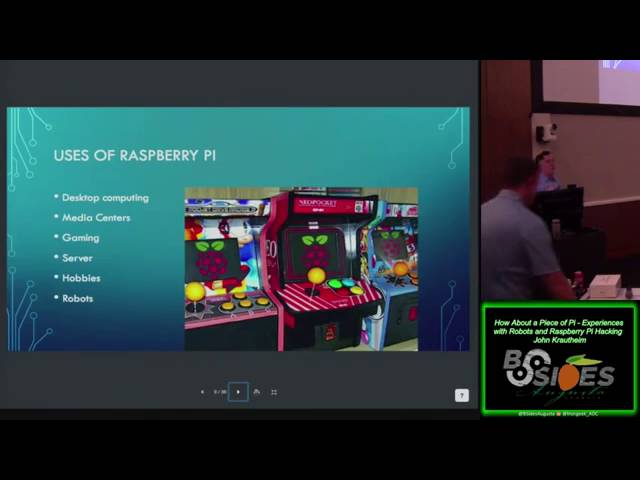
Serial peripheral interface down here that you can that you can turn on as well so you can so you can enable or disable these functions and and use these pins however you want so you could use these pins to control LEDs control Motors to control lots of things and that's what's cool about uh the Raspberry Pi so let's us use it as a basis for uh lots of projects and cool hats and things like that so that's that's why I like a Raspberry Pi uh yeah one of the so yeah some of the things that you can use them for is you can use them to build a little arcade emulator these are little AR emulators I
found but uh the the uses of this thing are Li are Limitless we have uh we can use them for desktop Computing I I you we in the in the with the students I had them actually use a Raspberry Pi as the as their desktop so they use Lo uh logged into that and used it to program and write their code in that so pretty cool they um they're really they make really nice media centers you can take one of these put it in a case set it on your set it on uh since it's got HDMI port you can set it uh on your entertainment center plug it into your H HDMI TV it it can
run Netflix it can uh it can run other uh well it runs a A specialized uh uh XBMC server called Cody which is really cool I so you can even do them for games uh the the standard the the base uh operating system has a Minecraft up to it so you can teach kids how to program in Minecraft so that's really cool uh you can set them up as little servers to serve files the useless are basically endless oh and the cool thing we'll talk about in a minute here and I'll show you as robots we like we love robots so what are your basic ingredients to make a raspberry piie if you're going to make a raspberry pie
you you just can't up until like two days ago you can go out and buy that kit I showed you earlier you had to kind of go out and get your own kits you can go on Amazon and buy you starter kits but but you're paying a lot of extra money for somebody and you're getting somebody compiled some parts together you made up one all those so you have to figure out well you just need a basic kit to get started so what are you got to get so the the basic thing you need is obviously is a Raspberry Pi motherboard you get the little motherboard and that's your starting point uh after that you're going to need it would be nice to
have a case with this little plastic case or some or if you don't want the case use some standoffs at least to have it uh the the the computer itself the res R pack computer has one megabyte or one sorry one gigabyte of onboard memory but it doesn't have any type of storage so you need at least some type of a you need a Micro SD card typically to do storage so um this one's this one has a Micro SD card right goes in here so you get the little micro SD card side of your thumb this is a 16 gigabyte one and you install your your operating system on that and plug it in
powered on um depending on the version Raspberry Pi 2os don't have Wi-Fi Andor Bluetooth so you would have to get a a a little Wi-Fi dongle to to plug in and uh you need a power supply this uses a standard USB power supply but I'll get get into that a little bit later and you probably need some type of keyboard mouse and initially a monitor you can connect these things remotely but anyway that's nice that at least that this First Column is what you basically need to get to to get going that's your your basic stuff nice the other nice things to have would be a uh you be able to get up to a
network it's nice to put heat sinks on the chips they get a little warm if you're going to do any real mess around with that GP outports or programming anything you're going to need a uh you probably going to need some type of multimeter check both this out it's really handy for debugging and then obviously you'll probably need some small tools like screwdrivers and stuff those are always good to have around you're playing with these once you get it once you get those basic St in you can get down you get started uh grab yourself an an operating system you go out these are all free operating systems on the internet uh the basic the
the main operating system is raspian that's what uh most people use that's a Debian Linux distribution uh it has a basic it's a basic desktop operating system has everything you need to get going uh it's it's uh fairly secure for the most part after you change your passwords and stuff it's it's not it's it's a decent little operating system said based on Debian it's like a lot like a bunto so pretty easy to use some people use noobs it's a little noobs as it says it's attended for really first time it's kind of a little bit more of a of a package that can of kind of helps you get started a little quicker but uh
it's up there and you can also get a flavors of a buntu and you can even run Windows 10 on this thing windows Windows 10 iot core it now this is Windows 10 iot core it's not going to give you Windows 10 Windows 10 capabilities but what it does the like you do is it is it works very well with Windows 10 on your on your computer so so you can program on your computer right Visual Basic on your Windows 10 computer and you click a button and it downloads it straight to the to the Raspberry Pi and it runs the program right on the Raspberry Pi and it's like all integrated so so you
really don't know it really treats your Raspberry Pi like an accessory to Windows 10 so that that works out really well uh then uh of course the fun one we're going to talk about here in a minute is Cali uh and uh you can also get things like uh should put the right thing OSMC uh or this open elect these are the the the the media center boxes that I was telling you about so you you download this plug it in basically it's a media center on on operations you plug it in boot up it's the media center mode it's got a nice screen it lets you run media download videos Run YouTube do all
kinds of stuff really cool and if you want to go play the games like before our video games you can get this retro pi and then you basically once you download one of these you install it on a SD card you need uh probably need another computer to do that like uh Windows 10 machine which you would or Windows machine you 132 dis imager if you have a Mac or Linux you can just use a command line VD disc duplicator and um I I run mine on a Mac so I use this command all the time if is the OS that I the the image of the OS then o is Dev and I use
R dis one because uh you write to the raw disc it's much faster than writing to the regular disc and then I found I after experimenting the block size the normal block size uh this is about the fastest I can get it to right with the block size of for mag so that my experimentation found that that was the best uh command line to get to get to write out to the uh SD cards on the Mac now I played around a lot with the Raspberry Pi so I suffered a lot learning these things so you don't have to uh things that you get these are the gates that you got to worry about when
when you're doing it when you when you're working or building Raspberry Pi system first thing is your power supply I discovered this the hard way power supply quality matters uh you want to make sure you have a good quality power supply don't use the power adapter off your iPhone or your Android phone I mean they say they're they support the problem is that that um the res p is really sensitive to the voltage drop and it draws a lot of current so when it draws a lot of current the voltage will drop a lot and if it drops below the five volts that it when it start drawing two that two two and a half amps it uh it causes the Raspberry
Pi to uh to not behave properly and then you can get bad rights to your SD card and then the whole system kind of dies uh so so even though it is a micro USB standard I recommend you you you use the official Raspberry Pi power supplies uh there biat they're about eight bux but the what the reason that you you use these is they're actually they they actually Supply a 5 and a quar volt output not quite the USB standard but it overcomes that voltage drop across the wire and you get five volts at the input of the uh the board and that um that prevents you from having Pro you know writing problems to the to
the SD cards and things like that so the the other thing is some of the cheaper you got to watch out some of the cheaper uh USB cables the connection doesn't make a real good connection here I found lots of lots of times if I was used a cheap cable the connection here would get really loose and would pop out so you want to make sure you have a good quality cable as well so so those are the big GES uh other the other major GAA I found was that even though it's standard SD cards I found the type of SD card matter cheaps SD cards didn't work well and the faster the SD card rating
the better and I mean the the the rating on the SD card really does have an impact on how fast the system operates so I I recommend going with a s disc or a Samsung uh class 10 card that writes it greater than 80 megabytes a second that gives you about the best performance you can get I tried a kinsington card that they kept crashing on me they died I did so you know some of those off-brand ones that you I would be Larry of them if I'm going to be using them on Raspberry 5 because this is that operates it it even though it is an micro SD card it's not used in your
camera where you just writing a picture to it every once in a while this is a this is actually acting as your hard disk so the computer is writing to it constantly and uh so the performance and the and the uh the quality of the card matters so spend the two extra bucks and get the Samsung card or the or the SanDisk card and save yourself a lot of Heartache uh so so that's the learning so cool so so so I got got everything now and I'm going to put C links on here so this is this is why why it's cool because I I use these things I make these little portable hacking rigs out
of these things so so these things are great because look I got this thing I drop it in my pocket I walk into I walk into your uh data center you don't even know I've got it in I pull it out and and and and like plug it into plug it into your network switch I'm recording your network and boom you know hey it's pretty easy anybody see Mr Robot they put this behind the switch in the in the data center and used it to break in and control uh uh actually used it to to overwrite the the um the the the hbac system and that caus it caus them anyway so so yeah they they're cool hacking
devices but anyway so C the latest version I just check Kelly just rolled out a new release for uh PCS or you know U Intel bakes PCS for Macs and uh for Mac level you PCU level at 2.2 but the Cali for the Raspberry Pi is still 2.1 uh but anyway you can download that it's a rolling release which means that it will keep on updating stuff you long you update it so it's pretty nice so the the first got you when you download that Raspberry Pi image it's not the full raspberry it's not the full Linux that you would get when you download it for your PC the PC ISO it's it's it's a
it's a little bit different it's just a basic operating system so if you want the tools the cool hacking tools if you you got to download the Cali meta packages so you want to get at a minimum the Kelly Linux top 10 that's going to get you a meta spy mmap wire shark aircrack those Cool Tools the ones that you you want to do is do the cool hacking stuff those are the ones you got to get and the get that you you just do an app yet install C Linux top 10 that'll get you that'll that'll get you up and running get you some cool hockey tools if you want to uh uh go to the get
the full then you got to do an app get install cic full that'll that'll download all the tools takes a long time uh but anyway that that'll get you there so we we boot up uh so so you you you download the OS you you install it with the DD command or the through wind dis image you put it in you power it on and and uh you're going to you're going to uh do the do the initial boot first thing you do change your password because of the default password it does it's got a account AR created for root and with the default password a tour if you're going to hook it up to a network
uh I I was next door over here and and a couple of these they're scanning the first thing they the first time the hackers tryers rot and then they try pi and that that's the another one that you might run into uh after you change the password you'll need then to need to resize the hard drive partition because I got a 16 gigabyte card on here but I downloaded a an image that was about three and half 4 gigabytes so it only puts a 4 gigabyte partition on here so I have to reside the partition and I I just use the built-in uh command parted and I go in and I set type A parted and
you select the partition for the hard drive and then you say set it to Max size once you do that then you then you run the size 2 FS command and that res siiz the file system and now you got the full 16 GB card available on on the uh SD card once you do that you set up networking and then you're off and running oh I said I already said change the password I said the the initial even even on the on the on the raspan if you're doing raspan the initial password in raspan is always going to be Pi raspberry and if you're Cali is going to be a Root tour those are the first things you got to
change so what you once once you get once you get it up and running you got your network figure the next thing you want to change is your uh time zone so these things are are the images are like that you get on here aren't like an ISO image that doesn't install and as you're doing the install you're creating accounts and you're configuring times and everything it's already configured so we we and most of these since the Raspberry Pi was built in is a British product it comes with a British time zones and British uh keyboard set up so you go in you got to set up the time zones and keyboards to the right uh
local all that to you to English us or whatever flavor of uh of a language you want to use but I I prefer English us because I don't speak too many other languages uh the setup Network and then if you want to use those uh IOP ports you have to enable those in the thing in the uh in the rasbian menu so that that's there and then uh what then with uh call you want to do you definitely want to do Cali you want to do a uh update your OS and that typ if you do an upate update that updates your dis your Dr package and then you uh once you do that you do
dis upgrading and that'll update everything to the latest versions of all the packages that are on the and this that gets you running
if you're running Cali you probably want to do some type of vulnerability scanning then you can open bass is available you can you can get that that by doing an app can install open bath and then uh run the open bath setup and open bath setup takes a while because this downloads some a lot of cve packages and there's they're huge it takes a few hours to do that even with the fast cards on on the Raspberry Pi add you user and start it up here you can run the you can run open bass and then the real B andc that's good that's a good one to have so you can remote in and and remote to other machines so I
built my little portable hacking at Raspberry Pi hacking rig so this is this is where my ingredients and I got
this is actually a touchcreen so it's like a little 7 in uh uh tablet uh and uh it got the raspberry pies installed in here it's got a web it's got the camera installed and uh it's pretty cool so so you know that lets me uh you know I can take this pretty much anywhere uh and go do my hack so you know I said I got the 7even inch touchcreen the touchscreen case so this is a cool little thing to have in and to take around um you're going to need a keyboard and mouse I like I I like the little Logitech keyboard and mouse here that one I get that one that's a that's a you
know $30 Mouse set set combo over at Staples now or 30 or 40 bucks those are good but you know that's great but I'm walking around with my Raspberry Pi and this and that or got got it I don't want to have to pull out the big keyboard and mouse so so I get a so I got a little
that that's fun but but sometimes that's a little bit too big so I get the REM this is now you now you really got a got a little something so this is your little remote got the little thumb keyboard here little thumb track pad so I can put that in my pocket and boom I'm I'm going I'm I'm in I'm hacking all right so so so that's fun um I said the cool stuff to have is the uh the key the the the little the little remote here now what what I found out was that Rasberry Pi 3 has built-in Wi-Fi but it uses a broadcom chipset and broadcom chipset isn't fully supported by it works okay and decently with the
um with with raspian the the the the uh which is the official distribution that that raspberry piie uh organization supports so we so raspbian works okay with the built-in Wi-Fi but C the the is a little bit behind it's it's Colonel has has it caught up with the with the new version of hardware and Raspberry Pi so uh we if you want to do serious hacking you've got to get at least the little edx this is the little edx adapter here little tiny n Nan that's a that's a 8021 in Wi-Fi adapter the 150 megabits that would I found out that I couldn't run mmap and do basic scanning off of the built-in Wi-Fi on the Raspberry Pi 3 with the
with the built of Wi-Fi so I went ahead when I put plugged in this edax one that at least gets me the capability to to do the basic scanning because this kernel supports it but it still didn't get me full what I needed because if I wanted to do really really uh uh good uh get into the wire shark and doing some deep uh do some prism scanning and N raw scanning of the actual Network I needed to get the
little TP Link it's got the nice tin on here so it gets you a better reception uh but it's bigger and it's a little more clumsy but not quite as fancy but but at least this one will get you uh will let you do raw raw traffic monitoring of the network and then you can see everything that's on the network so this will with with this thing then you can start doing some air cracking cracking uh W cracking Wi-Fi weap and WPA passwords with this you you won't be able to do that unless you get one of these on the Raspberry Pi uh so so that gets that gets us to that level so that's pretty cool so so
we built that now let's build a robot danger Will Robinson we're going to build a robot well that that that's going to be that's a little bit much but we but so so but here's a cool shot I found of a of robots making a Raspberry Pi I thought that was the robot the robot's actually made a Raspberry Pi or this is this isn't an actual robot making a Raspberry Pi this is actual a robot that's actually making the Rasberry P Board but uh anyway back to this is what I we're actually going to build is this this is called a pie boorg Diddy board uh this is a I keep coming back over here so I can
talk to the microphone a uh this is made by again a company in England it's by a company called py Borg and you it comes as a kit it has a has six 12vt Motors to run the wheels uh it you get the chassis of the parts and everything to put it all together so you get the kit the only thing you have to supply is your Raspberry Pi it also has a mount per camera the Raspberry Pi camera if you want to Supply the raspberry pack camera there that's there as well so so that's cool so that's what you get that's what you start out with and then you have to put all that
together so the the um the uh this this piece right here is the critical piece to the whole thing this is the the what they call the Pico board reverse that's the controller that that controls the motor so that's basically your your your motor control for the for the for the wheels so the the Rasberry pie basically talks to it and it tells it to set a voltage to the wheels and then that thing will apply the voltage to the wheels and then it then it'll run around uh but I got that kit and it came with 12vt it it runs on uh uses this little adapter up here and runs of ablea batteries ablea batteries was a bit of a pain so I
said look I can do better than that I went out and got an RC car battery uh 12vt RC car pack 2,000 milliamp hours 10 cell Li night cab battery uh that supports fast charge so if I use this little this is a little fast charge here I can charge that Su that charge that battery pack in 15 minutes and that'll that'll run for several hours on the rasma P I can run around for about two hours two to three hours using that battery pack and that can charge it in 15 minutes and be up and rain so so so that's cool so made a little bit more so I had my kids build it this summer uh in
this in the camp so here here I was help kind of helping them out and getting started there you can see they're putting them together they start out and they're adding uh putting them all together and they they had the wheels uh they were really excited about getting this thing going they got they finally got it built then they were then they got up and they tested them and ban them around uh some of them broke so we had to have a pits uh so that's the pits uh as you can see we have some some uh epoxy there uh we actually had that one that when the wheel fell off so we had to we had to
prepare a few the the kids they were they were pretty good the these are pretty tiny parts and they had some some of them did a real good job putting together some of them the quality control wasn't quite as good and then this is our our you know fueling station there that's all of our battery chargers and there there's a little batteries you can see that's a little charger so so we would go through that and there's my multimeter so I could debug them and everything so so that that was fun um we took them uh we took them over to a a big room and uh they set up their uh their their computers so this was the
command center so they they they set up here and they were they uh were able to toh create control these uh robots um and then they they they were able to take and run them they they ran them through through an we had an obstacle course set up and they ran them through so they so they would run them around these cones and things like that so so that that was cool so let's see here is this going to work no my video cuz that that's supposed to be a video shoot oh well all right so the video doesn't not going to work anyway so the video ran here they ran around um anyway so
what the students Learned was okay so the the students learned how to use the raspberry pies uh which is cool they they none of them really had any experience with the raspberry pies so they were able to actually you know this is the first time they're putting together computers and and putting putting together uh parts and things like that so they actually saw you they're used to seeing cell phones that are they can't even see a chip in so they didn't really know what's going so so they actually get to see chips and see pens and see you show show them that they're actually you that what a computer really is uh and then they're able to see that hey yeah I can
log into these things and like said with when when you when you first Power them up these things are totally insecure anybody can remotely log into it and the and some the kids took advantage of that they said oh I'm going to log into that one over there and Bug it so that you so some kids are trying to to log in and do things the other kid would be another kid would be trying to log in and and uh it it kind of got to be a little mess we had to we had put had to put a ban on hacking in the class but uh it it was fun but but uh you the point is that
they they get to see that hey I have a I have a computer I can control it when when I when I when I do certain things it causes you know the causes the motors it it actually causes real world effects so so we we show them that that by by hacking and doing things you can create things that that can have effect in the real world so we actually have so they actually see actually see consequences to things they were doing that that was part of the cool thing uh yeah obviously you we definitely learned the basic security puzzles like Le privilege like uh you don't want to let the whole world have access to your robot because
anybody can log it and remely take it over um you know that that was the basic uh that gave us the basic uh portion of the class so so they they had fun with that uh lots lots of cool stuff but you know where I'm going to go next with this is uh yeah I want to add more sensors onto this like uh right now it's just a it's it's it's a it's pretty much a remote control car at this point because the way that what they do is they is they they run a web server on here that creates a web page and you log into the web page and the web page basically has it has directional
controls like go forward go back turn left turn right you can access the camera but it but it's pretty much uh it's pretty much uh just uh remote control you can write programs on it that says you know go five feet take turn left go go three feet turn right you know you can do some basic stuff like that but in order for it to to to really become an become cool and is the we want to put the centrals on it so it become more autonomous so we can say follow you know follow the line or you know run until you you find a wall and don't and then once you find a wall
around don't run the walls and things like that so that's cool uh some of the things other things I'm going to be doing is I'm going to set up Rasberry pip clusters I I'm going to get about 20 to 30 of these and hook them up as a cluster and uh couple couple of Concepts I got going there's one of I'm going to create a capture the flag uh kind of uh uh field for where they're going to be able to remotely log in it's the this cluster of raspberry pies and find Flags so they'll be able to go and like turn on lights and turn on buzzers and do cool stuff like that uh might even at
one point I'm going to try to get I got a bunch of these robots I I got enough that I think I can get them to flight chest so that's another cool thing I want to get them to do so so so the robots are autonomously play chess against one that would be cool uh and uh I don't have security onion running on here so so if anybody wants to compile security onion for Rasberry pie let me know but I'm gonna be attempting that so so I I talked to Doug he won't he won't compil it for Raspberry Pi for me yet I I don't know why but anyway that that that's one of the thing that's one of
the things I'm going to try try to do too because I think these would make cool sensors because like I said they're so small you can put them anywhere on the network so that that's basically where I am with that so with that that's kind of where where I am so uh open it up for questions and answers and
yeah sure
yeah they actually work pretty well uh that that's what for for my for my little packing rig or this little guy here yeah uh I I've actually had powered this with a with a with a with a battery pack so yeah the that works really well so so now you have a self-contained almost like a laptop it's laptop's actually a little bit more convenient to take for a hacking but but this is cool because you know it it's kind of different and get you it's a little small and and you could you could you could drop it behind or something like that that's that's one of the cool things about that at
all right so so in order for them to remotely control them what they did was uh they they installed the rasbian operating system on the Raspberry Pi they ran a web server on the Raspberry Pi then they remotely connected to the to the web Ser then they then they connected to the web server through a web page the web page had had the controls on it so then they were able to remote control that either through a computer or you could also connect to it through your phone uh I was going to try to set up a demo but uh I ran out of times and I didn't think I would have enough time to get it going here but but
actually could actually it'll actually it's a so so it's more like a it's more like having a it's kind of like a remote control it's kind of like uh you ever say the parrot droids you know same thing where you use control your iPhone it works a lot like that yeah all right well I got a couple I got a couple of questions here so uh is we'll do some administra since this is a raspberry 5 Section uh I got the hacker Playbook does anybody know who the creator of Rasberry pie was uh close nobody what yeah that's it
so does anybody recall the name of the robot the boorg yeah I think I heard it over here first yeah
[Applause]
Related talks
 51:37
51:37 30:27
30:27 55:35
55:35 51:32
51:32 41:33
41:33 51:33
51:33