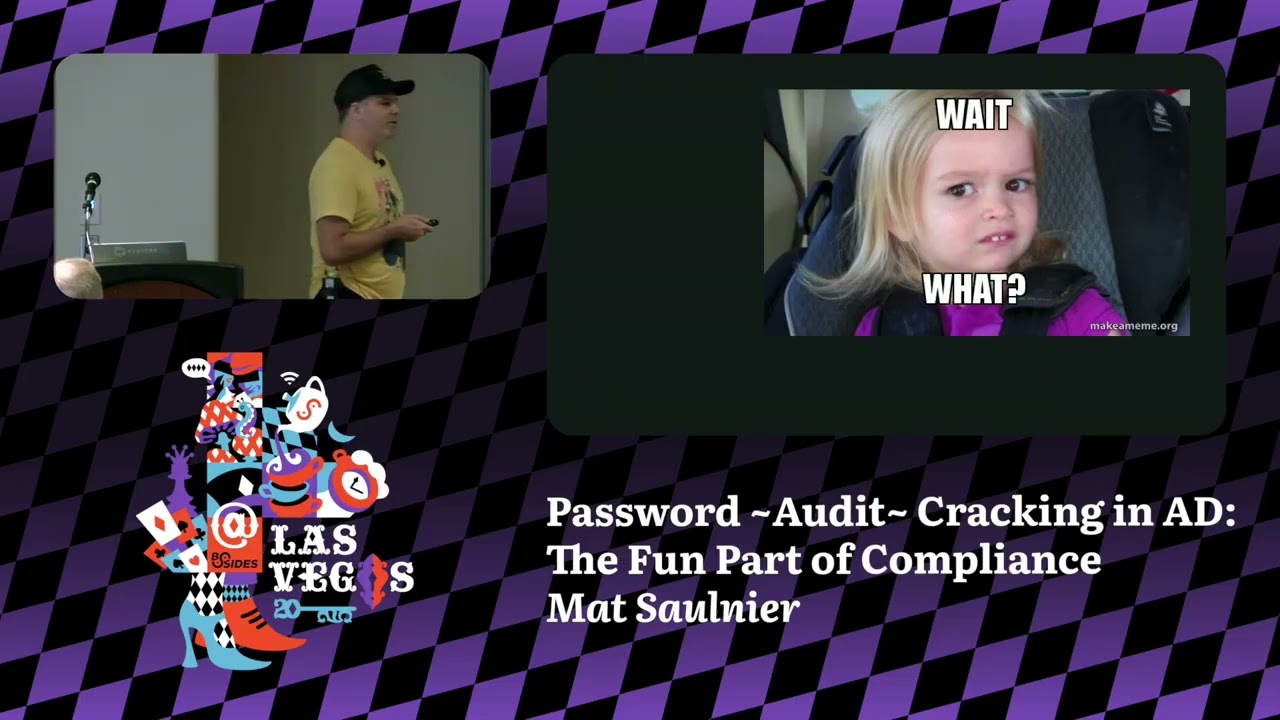
Password Cracking in AD: The Fun Part of Compliance
Show original YouTube description
Show transcript [en]
This talk is password cracking in ad the fun part of compliance given by Scooby. A few announcements before we start. We would like to thank our sponsors especially our diamond sponsor Adob and Akira and our gold sponsors drop zone AI and run zero. It's their support along with other sponsors, donors, volunteers that make this event possible. These talks are being streamed live and as courtesy to our speaker and audience, we'll ask you to check to make sure your cell phones are set set to silent.
With that, let's get started. And please welcome Scooby.
Okay. Today I will tell you a story. A story about three groups. YOLO Corp uh company that follow compliance rules uh but that do not have any security staff in the company a company with security pros that understood that yes compliant is important but sometimes it's better to use your judgment and finally evil cats who obviously do not know do not care about security or do not need to be compliant sorry at My name is Matthew Sonier. I'm currently working at Spectre Ops as the product manager for the Bloodown Community Edition product. And sometimes after 20 years in this industry, I feel a little bit like this. While I was preparing this talk, and yes, that was back in 2023, I watched
this webinar from the Black Hill security folks where they talked about the 10 things that they did the most often, or rather that worked the most often to breach their customers. And if we zoom a little bit, we can see that the number one methods, the one that worked the most often was related to passwords. Their solution very easy longer passwords. So during this story we will see just how much password length influence password strength and resistance to attacks. When we search on Google, everybody agrees that passwords are in fact the weakest link. So should we just get rid of them? I've worked for at least two corporations that went passwordless while I was working there. And it was very very nice
not to have to type any passwords to get into most of these systems that we had. Maybe except the your computer or your laptop in some cases. Uh but there's a lot of reason why the company you are all working for today might not be able to go passwordless. So if that's your case, you're in luck. This presentation is for you. So now that we've set the table, let's meet the folks at YOLO Corp. And this was built uh this these image was built at the very beginning of image generation uh by AI and it has evolved a lot, but I wanted to keep the original image because I kind of like them. Anyway, here is YOLO Corp. Uh they all
look super cool and carefree. It's very hard to imagine what could actually go wrong, right? Uh well, we'll see that soon enough. YOLO Corp is compliant to both PCI and GDPR. Now, let's introduce the people at or the folks rather at Cool SEC. Here we all can already see that things are more serious. Coolsec is also compliant to both PCI and GDPR but also they decided to follow the NIST recommendations. In this story we will see just how the three of these standards are impacting passwords and finally meet evil cats. Here it smells like trouble. Um, I'm sure a lot of you here in this room have seen the Kiwiccon poster that lists all of the things that hackers do not
care about. Well, our friends at uh, Evil Cats are exactly like that, but on top of that, they have the unpleasant and arrogant attitude so typical of cats. I should know I got two cats now, and I even get some battle scars that the one in the first row can actually see to prove it. So, our story begins when evil cat one is getting ready to perform one of the most common uh attack, the one that actually hits everything that has a login exposed to the internet. In fact, in less than 24 hours after putting a system online, it will get uh it by a brute force attack. I personally saw a machine being targeted only 7 minutes
after being put online. For those who might not know the difference between a brute force and a password spray, a brute force is when you have you go you take one username and you go through a long list of passwords. And a password spray kind of works in reverse where you have a very targeted list of passwords and you pick one passwords and you try it against all of the username. It has several advantages. Uh it's slightly less noisy, but now any good CM would detect that anyway. But the main advantage is you can control um the speed at which you do your your you test the passwords and there's less chance to actually lock the
password out.
Uh the more advanced attackers that are targeting specific corporation will use uh targeted username and password when they do password spraying. Uh they will use various tools to gather the valid username such as public data breaches uh links on your website and some tooling. In our case here, evil catwan used a LinkedIn scraper. This is a method that is used a lot by our red teamer friends. Um the list of password is also targeted for each company that they will target. So for example here they will use the name of the company maybe the product they are building cities where they have offices and to some sometimes um sports team that are very famous in those city.
So the first password that that they try here is Kirk and Yolo Corp. Bang. And it doesn't work. And then they try warf and summer 2025. Bang. And they have a matching username and password. Now they're going to target um coolse. And the first one is Chuba and Kulsek one. The second one is Bob Baet and welcome one two three bang and they have a match. Of course, this is a very simplistic view. In a real attack, they would have gone with the same password against all of the username until they have a match. Now, now arm with a valid credentials for both organization. Evilcat one found an exposed RDP server. when he tries to
connect to the RDP server of Yolo Cororp, this is what they see. Yes. So, by the sound I just heard, I think most of you here can already know what's going to happen to our little golden retrievers. When evil cat one target whoo too fast, but when targets cool, the prompt is slightly different. They get prompted for a one-time password. This is also called multiffactor authentication or MFA for short. So now they need to provide the password that change every minute. According to Microsoft, MFA can reduce the risk of identity compromises by as much as 99.9% over password alone. Let me repeat that because it's pretty important. MFA can reduce the risk of identity compromises by as much as 99.9%
over password alone. We'll let that sink in for a second while I subtly drink water. Okay, now I know that MFA is not bulletproof. You don't need to come see me and say, "Hey, Matt, I can bypass MFA." Yeah, I know it's possible, but it's still a lot a lot a lot better than not using it. And when I hear someone tell someone else, "Don't use MFA. It can be bypassed." My hair become grayer. So don't stop me to tell me that because my hair are gray enough as they are. Let's continue our story. Because cool sec has a great TM, they also get alerts. They get alerts for the password spraying, but that's the type of alerts
that you get 100 times per day. So they probably didn't do much with that. It's more like informational. But then they get something more interesting. First connection, first successful connection from an unknown IP. Now probably it's time to start kicking in your instance response. This is not an incident response talk, but if you're interested, I've got another talk about instant response and open source playbook that I recommend you check on my GitHub. And then finally they would get multiple failed MFA when evil cat one tries to guess the MFA password. And if you haven't started your instance response in the previous step now you should really really uh do it. We [clears throat] talked about a few
compliance um standards and the first one was PCI. For the longest time, uh, PCI recommendations for password were as follow. Seven characters. Yes, Randy, it's pretty funny. Uh, they you need to change your password every 90 days. And you need to have some complexity, uppercase, lowerase, digits, and special characters. This is pretty much the phase that I did when I read that. And I don't know if you're thinking the same thing that I was thinking, but anyone here wants to tra take a wild guess at how long it takes to crack a seven character password? >> According to Google, it's 7 minutes, but seconds minute. It's probably faster today than in 2023 when I made the
search for that. Let's get back to PCI. This is what it was. But let's be honest, in 2022, they actually changed their recommendation. Anyone wants to tell me what's the new recommendation for password length now from PCI? >> Wow, lots of QSA in this room. Awesome. Yes, 12 characters. But they still require you to change your password every 90 days and have some complexity. Now, let's check um cracking table. And again, there's probably a newer version of this, but the important is not the actual number. It's more like the range uh that we that we're looking for here. Uh so if we zoom in a little bit and we check at 12 characters with the
complexity requirement, we are at 3,000 years. Not bad. Not bad. But this is without accounting for human predictability because passwords like welcome 123 bang or summer 2025 bang bang have 12 characters and they are cracked in matter of minutes if not seconds as somebody mentioned before enters GDPR here we're recommending or they are recommending eight characters avoid dictionary words you should use passphrase instead of passwords and same type of complexity of uppercase lowerase digits and symbols. Now here there's one word that really attracted my attention and it's the word avoid. Why are they using the word avoid? And if we start thinking about it, the answer is kind of easy. It's impossible to prove to an auditor that you do not
have every single word as a password in your password database. In fact, the only way you could do that is probably give them all of your ashes for them to crack. And I don't know about you, but I don't know many companies or any companies for that matter that would actually just end off their ashes to an auditing company. And I'm really sorry if you work for one of the big four, but that's the truth. Uh, and passphrase here is just when you stitch multiple words together to make a longer password. So, we we talked about that roughly, but yeah, eight characters. It's between a few minutes to a few hours uh to crack. Now, let's look at NIST 863b.
Here they are very different from the other ones. We are asking for 15 character long passwords, never expire and no complexity. Actually, NIST claims that password complexity is bad and it entices human to use very predictable endings or just increment the digit at the end of your password every time you change your password, which is pretty interesting. When I heard about this and I heard the never expire, I was like wah wah weewa. I like very nice. Like how cool could it be to never have to change your password again for your corporate laptop. So I went on um on a mission to make this happen where I was working. If we're going back to our trusty crack table, 15
characters, as long as you have some uppercase, lowerase mixed, we're talking about millions of years to crack. I think now we're getting somewhere. Let's continue our story. And this is Evil Cat 2, the post intrusion specialist. And we can see it's a shady character just by the way it look at us. They are the Yeah, that's what that said that uh it got their pause on a backup file containing NTDS.It file. Those of you who might not be familiar, NTDS.dit is the file that contains all of the password ashes in Active Directory. For cracking password, you would typically need two files. A password file, in our case here, NTDS.dit, bit and a second file containing lots of
words. We call that a word list or a dictionary. One of the most famous dictionary out there is the file called rocku.txt um which is very easy to find with a Google search. Now it's time to crack the passwords that we have. And of course, evil cat will not go as low as use John the Ripper to crack. They really want Ash cat. Um, so let's break down the comments that we have here on screen. The M1000 is the type of passwords that we are targeting. 10,00 NLM ash, which is normal because we are talking about NTDS. Uh, then we have the the ashes themselves, our dictionary. And finally, TAC R means that we are going to use
rules. I'm sorry, I forgot about the the A Z. This is password attack. It is one of the two mode that use rules. Uh the dive rule is a rule that is included with the Ashcat bundle. It is a very efficient rule. Uh but there's plenty of them and we're going to talk about that a little bit later. But rules are ways that the words in the word list are mixed together. uh suffix, prefix, stitch the word together, capitalize some letters, make some substitution. Uh there's also the prince mode that is pretty efficient. Uh and prince stands for probability infinite chained element. It was created to crack stronger ashes. Typically, when you crack passwords for
the very first time in an organization, you might get as much as 50% of their password within 24 hours. And if you keep cracking for like a week, you might reach 80%. And I can guarantee you that in those numbers, there are some very interesting accounts that you will uncover. Now, we're going to play a little game. I will show you two passwords and you'll tell me which password is the strongest. So we'll start with our friends at Yolo Corp. So first password, welcome 2025. Bang. Second password. Password. Password bang. Who thinks the first password is the best? Nobody. Second password 17 characters. Who thinks it's stronger than the first one? There's a lot of people who haven't
raised their hand, so you didn't fall fall into the little trap. But yeah, officially the first one is 3,000 years and the second one would be 7 trillion years. But in fact, I think lots of you already knew that, but it's my Thai friends who are right. Same same, but different. Both of these passwords are extremely common words. They use very uh common substitution and suffix. So there would be both be cracked in minutes if not seconds because all of those patterns are already in all of the cracking tools out there. Now we're going to play the same game but will with cool sec passwords. You don't need to count the characters. Both passwords have 23 characters. So just
focus on the passwords themselves. The first one is backick the empire's barks back thick. And the second one is patience young padawan. So who thinks the first password is stronger. Okay, maybe like one/ird of the room. Who thinks the second password is the strongest? Another third of the room. So I guess one third. Who thinks they're the same? Well, okay. Some some people don't want to play, but okay. Uh [laughter] so this is longer than our trusty time crack table would uh would show us. So we need to go to another tool here. We're going to password.com and according to them the first password would take 161 million year to crack and the other one a mare 29 million years.
But if we go to security.org that also have a cracking tool they both get to three September dissillion years. But again, I think it's my Thai friends who are right. Same same but different, but still the same. Both password would take a lot longer than anyone can or will invest in cracking those passwords. So now it's time to see how evil cat 2 fared against the two password uh file that they got their paws on. Sorry, I did forgot to click. Um, so first one, not surprisingly, they got 80% of the password, but at cool roughly 1%. So we will see in the rest of the story what Coolsec did uh exactly to get such
a good result. So first of all, they um they did something that not a lot of people do. I've seen that being done in some financial institution in the past uh but maybe not to the extent that we're going to discuss here and uh I actually was talking with one of our customer uh not long ago and they're doing almost exactly what I'm going to present here. So I'm kind of very happy that this methodology is picking up in the real world as well or in more organization now. Um, so they went with the NIST recommendation of 15 characters, never change or the password never expired. But here's the twist. They will crack their own password every on a weekly
basis. And a password crack equals a password change. So how do you actually do that in the real world? Because it's it's nice to say it, but let's see. Let's see the steps to get there. So, first of all, you need to create a service account. Then you're going to give the right replicate directory change all to that account. And that will allow you to perform what is called a DC sync. So, pulling all of the information from the domain controller to a non-domain controller machine. You need to create a GPO that will reflect what you want. 15 character password, no complexity, never expires. This is a key part. Inform your user of what is coming. If you just do that,
people will be lost and they won't understand what you're doing. After that, you need to apply that GPO. So, it takes effect. And then you need to force change your passwords. Now, please do not go to work Monday and do this again. Inform your user and don't do that in one go. Your Lesk will hate you for the rest of your life, right? It go by wave, go by OU. Uh be smart about this, but really consider doing that in your organization, just not Monday. Okay, now we've set up our our policy. Our user have changed their user. Now it's time to have some fun. So first of all um we're going to use in like what I've
seen in many corporation is the security team would ask the domain admins hey can I have the NTDS did and then the the domain admin goes on the DC pulls NTDS give it to security when you do that on a weekly basis maybe just maybe your domain admin will be a bit bored so here's a tool that will help you get the the password ash on your own and automate everything. So, here's the tool. It's called DS internals. It's a tool made by Michael Graphnner. It's been around for a while. And funny story, when I created this deck the first time, Michael helped me and made sure that everything was right. And uh Michael was hired by Spectre Ops 3 weeks
ago. We went uh through the slime. He said, "Hey, I updated my tools." So, this version of the deck actually has the latest and greatest version of DS internals. Now, because I'm not a Windows person and even less of a PowerShell person, I remind everyone that is like me that you need to import the module if you want it to work. Otherwise, you'll just be wondering why it's not working. Very basic, but very important. Now, we're going to create a variable called cred. Uh, and we're going to call the method called get credential. that will pop up a screen on our um yeah a screen on our terminal and we or guey and we can enter the username and password that
we created in the previous step. Now that we've set up the the tool, it's time to use it. So here we will use the method get ad replicate account and we're going to target one of our DC. We're going to supply the credential that we capture in the previous step. We're going to focus only on the accounts that are enabled because there's no time there's no point in wasting times on accounts that are disabled. And we're going to format that in a file that Ashcat can actually read and use to crack. Now, a cool little twist here. We're going to run the same command a second time, but instead of formatting the output, we're going to check password
quality on them with all of the passwords that we cracked. Of course, the first week you won't have any password that you've cracked. So, you can skip this. But as you go, your list of cracked password will go bigger and bigger and bigger. And this will save time because you'll be able to remediate things a lot faster. Now, it's again time for you to wake up and play a little game. I want to know how many here have only one account to rule them all. Nobody wants to admit it. It's okay. Uh, who have two accounts? one user account and one let's say administrative account to administr administer servers. Quite a few. Okay. Who here has three
accounts? That would be one user, one admin and one domain admin accounts that can only work connect to domain uh controllers. So that is the preferred way the way Microsoft wants to do it. uh if you want to go that route, I highly recommend using bloodown to make sure that what you intend to do is what is actually happening in your environment. Um why I'm asking this is that one of the reason why we have all of these users is that we do not want them to have the same password. Right? If you're using the same password for your user and your domain admin account, uh if your user account gets compromised, they have the
key to your domain admin account as well. So, one thing that you should do is when you pull the ashes, make sure that there's no duplicate ash in your password files. If a same person is using the same ash, you should inform them, force them to change their passwords. If two different humans being have the same ash, well, there's one of two things. Either they have a password that is guessable even if you're didn't manage to crack it, or [snorts] your process is broken. Maybe your uh Elesk is resetting the same password every time or creating all of the new accounts with the same password, but there's something broken in your process. Let's continue. Now we've pulled the
password, it's time to crack them. Yay. For those who've been following since the beginning, you might recognize the very first command. It is the same command that evil cat 2 used against the organization before. So if you remember when I did my intro, I said I like uh this one thing. I think I didn't say it actually, but uh I like to use adversary tools to make their life miserable. And this is the example. Um so the second line here you see that it's almost the same as the first one. The only difference is the rules. So there are hundreds of rules around. I think that even NSA has published their Ashcat rules. So you can play with those rules
and you can run run as many rules as you want one after the other and you might get some very interesting results. Some rules might work better in your environment than in your peers environment. It's really depending on the on your user base. The third command is uh the good old brute force where we start we try every single character. We go from one and we just increase until you stop it. Once you're done cracking or brute forcing in this case, uh it's time to copy the ashcat.put file which contain all of the ashes that you've cracked so far into the weak ash txt. The reason why we do this is because most of the
time you will not pull the passwords from the same machine that you will crack them. So you want to be able to use the weak password uh with the DS internal module to make sure that you don't have any cracked password already. Now there's one last step. We've found weak password. So we're going to now pull information about those user from our active directory. uh we will compile a list of people that we've changed their password and we will force them to change their password again. And the reason why we keep a list is that if it's maybe like the third time in 3 weeks that you ask someone to change their password, maybe just
forcing them a fourth time might not do the trick. So now it's time to educate your user on how to create strong password and not just increase the digit at the end. So, you might be asking, Matt, that's pretty cool, but how do we actually create a strong password? In my opinion, there's two different scenario. And yes, I'm a big Deadpool fan, and I wanted to make sure that it's there at least once in my presentation. Scenario one, you never have to type your password. In this case, you should go as high as the uh portal that you're using allows. Uh otherwise, a connective directory, you can you can aim for 64 characters. You store that in a password manager and you
never have to type it again. You never have to remember it. It will just fill automatically when you need it. But if you need to type your password, so for your password manager for example or your laptop, then I would recommend something that I called dressing the password. So that gives you a password that looks a little bit like this. Pound pound dollar. I had a bad feeling about this. Dollar dollar pound. This is a 37 character password that is very easy to type, very easy to remember, and kind of long to crack according to our website. So, I have no idea what the septan diler actually is, but it does sound extremely long and I'm not sure
that even Deadpool would survive this. Yes sorry bro. Now an additional tip for those who have a very acute ear you might have noticed that English is not my first language. Uh so you can use your mother tongue to create your password. Here we have the famous Yoda's quote fear leads to anger but in French. So we have pound dollar la dollar pound. It would take roughly 900 dicilion years to crack these passwords. And what's interesting about this is that thank you I already have some is that um neither the word men or kalai are in the rocku dictionary and that brought me to ask myself a question how many of those characters are actually in rocku those characters are
actually in rocku has over 14 million passwords and out of them 800 have this little C thing 500 more or less have the the E there with the accent which is super prevalent in French. So I was kind of uh I was very curious why it's less present than the C. But then I realized that the C is also used in Portuguese a lot. So that might explain why the S with the reverse hat there that is uh in the Slovak languages is there roughly 65 time. The German ets like the double S is there about 70 times and the finally the kind of reverse bang from the Spanish language is there only 90 times and that's the
one that surprised me the most like typically you'd see the exclamation point is extremely popular. So I was thinking that Spanish people would use that symbol a lot more. So to give you an order of magnitude, we said that the the one that has the most hit is the first one with 800. And to compare that with the letter A, the letter A is present in 9.5 million passwords out of 14 million. So yeah, Matt, this is pretty cool, but we're in 2025. We're moving to the cloud. So what about intra ID? Well, I'm glad you asked. In active in intra ID, there's something called password protection. This is a list uh maintain there. Sorry, Microsoft is maintaining
some words that that they ban something like things like welcome, summer, winter, uh all of these. Well, yeah, I said welcome. uh all of these very easy words, but [snorts] Microsoft doesn't know anything about your specific corporation. So, if people in your company are using your company name, you should put it in there. Uh I talked about the sports team. So, sometimes when you crack, you'll find like I don't know, I'm from Montreal, so maybe like Montreal Canadian could be very popular uh password where I'm from. So, I could put that here. Like, so the goal here is every time you crack a password and you see that a word is used over and over again, just stick
it in there and your user won't be able to use it anymore. Okay, but we can get the ash ashes out of ID, right? Oh, thanks, Donald. [laughter] As a Canadian, I never thought I'd say that. And especially not especially not this year. Um now here you have a tool we have a tool called intra uh sorry AAD internals that was built by neestory aka Dr. Asia AD and again for those who have a very good sense of observation you might be like hm [clears throat] DS internal a internals looks very very similar and you would be 100% right netori name this tool after Michael's tool now I need to give you a little warning
before we continue if you are already pulling your ashes from active directory do not use this method this is more complic complicated. Uh it's and you get you're going to get the exact same results anyway. You're just going to make your life harder. So let's see what you actually need to pull information out of active directory and neesto will guide us through the steps that we need. So first of all obviously you need to have the ashes in your entra ID and then you will need credentials for an application that has the Windows legacy credential rights. As of today there is only one application that we know have these rights and it's the Azure AD domain services sync or a
AASS. And finally, you will need the encryption certificate that lives on your Entra ID domain controllers or controller. With those three things, you can now install module AAD internal. Do not forget to import the module if you want to use it. uh and then you can actually use the module and use uh get a aad int user entash and provide the client password the client ID and as we mentioned the encryption certificate that you've pulled from the intra ID domain controller now we're already almost at the end of our story but I want to give shoutouts to the people who created the tools that were demonstrated in this talk so first of all of course Michael Graphnitter DS
internal, Dr. Asia AD for AAD internals, the awesome folks that created Ashcat, and they actually released a newer version just last Friday before Black Hat. Um, but a special shout out to a guy named Obvious Malware that presented back in 2022 at the Red Siege Wednesday offensive. um and he's the one who kind of reminded me about the DS internals tool and that really uh speed up all of our uh program. And finally, there's there was a talk uh at the Red Team Village from a guy named Travis Palmer. The talk was password cracking beyond 15 characters under $500. Now, I would like to leave you with one quote. Do you want to mitigate against auditor
or attackers? And I think this kind of res summarized this talk very well. If you blindly follow the recommendations of the different standards, it doesn't make you any more secure. On the other end, if you use them intelligently uh and you train your user properly, those same recommendation can actually help you increase your security posture. And as you saw, it can actually be quite fun to implement. So if you want to continue the conversation, I think we have times for question. Uh this is the Spectre Ops public slack. I'm there all the time. I'm on Twitter at ScoobyMTL. This is my LinkedIn if you want to connect. I will everything is open at least until the
end of the week. Uh yes, question. >> It's a great talk. >> Thank you. >> Welcome. Uh, so it's is it urban I have a question to follow up. It's an urban myth or true that it is >> is it urban myth or true that it is easier to crack a password when the user puts a bang at the end of it? And then the followup is if they insist on putting a bang on the end of their password based on your slide, should we be encouraging them to use the Spanish bang instead? [laughter] Uh if they have the Spanish Yeah. Uh well, I'll insert the last one first. If they have the Spanish uh Spanish
keyboard installed, probably yes. Uh I I think I I'm not an expert on that, but I think that the bang at the end of password don't change anything. it just makes you compliant to the password policy because this is the first thing that any cracking tool will actually try will just add that symbol at the end right so and it also most of the password that are common so on the English keyboard will be tried anyway uh so that's why I recommend putting at least two characters at the beginning and at the end and not just one character at the end any other questions guy with the hat
I have a strong voice. So I can I can ask my question first. Uh uh SP what is your password is
ask what do you think about the passwordless solution like Microsoft who want to push it down. So the question was what do I think about the passwordless uh solutions? I think I I brushed that at the beginning. I can introduction but I really encourage everyone who can go passwordless to actually go passwordless. It's makes your life a lot easier. It's hard to crack a password when there's no password. >> Yes. So for the uh enter ID password prevention list uh do you recommend just dumping like the Rocku text in there or like I mean what's the practical limits there? Right. >> Yeah, that's a great question. Uh I no I do not recommend dumping the whole
Rockue there. Uh and in Rwu there's a lot of lines that are broken if you look at it. Uh so you can kind of clean it up but um no there's a lot of password there that have little utility. Um, but I I think that if you crack your password regularly, you'll see what your user are using. It's going to be obvious which words you need to add to that list. And and remember that Microsoft is maintaining their own list. So, there's already uh a a large amount, but it's it's I think it's especially useful if you have non-English speakers, like if you have offices somewhere else than the US, Canada, and English speaking country, you might find words in other
languages that make their way in your password very very often as well. I think uh there was one more question there from uh from someone I think I know. >> That was an excellent talk. Thank you very much. Thank you. >> Um, on the never expiring password, I think that just makes everybody who's ever administered passwords just super nervous at the core of their being. Um, is there still some risk that you think? Um, and what I'm thinking of is like not that people have crackable passwords, but they reuse their passwords across multiple sites and quite often those passwords get dumped from some other site. Um, so is there is there value still in rotating passwords even like
every 90 days? I wouldn't but um I don't think every 90 days if if you most of the time when I've seen this implemented the the thing that was preventing people from going to never expire was compliance and some auditor that did not really understood uh the counter measure in place and that's why I also recommend to crack your own password uh but that's not what you're asking. Um, if I really had to change the password, I think I would go for at least one year so that people can use their password for a year and then select a real good passwords and not just increment uh the digit at the end or just change something trivial. Like
they really have like they don't have a year to think about it, but but you know what I mean like they know that they're going to be stuck with that password for a year. So, it's kind of worth investing sometimes to create a new and good password. >> That seems like a good balance. And then follow up. Would you consume lists of leaked passwords like the big dump sets and do you use that also to check your password? >> Yes. Yes. Um yeah, if you want to go like a little bit you can the the point here of the talk is also to have fun doing that. So changing your password dictionary is a great way to do that
like m and have fun. One week you can crack with the rock another week with something else if there's a new leak. Yes. Yes. Totally 100%. So another question here in front.
>> So when it comes to the compliance part though, are you using the weekly crack that you do as a compensating control to get around the 90-day requirement? Right? Because you're going to have to prove out that you're doing something else. >> Yes. Uh exactly. So cracking the password, you'll see that some password will change over time. uh but then if if it's uncrackable uh and it's always the balance between who's auditing you right and then you need to convince them but once they're convinced and when you show them that you really have strong compensating measure typically it works but yeah there's some people that are more stubborn than other and and I say people and not even companies right so
sometimes it's really one like the person that that they sent you this time that won't accept it but if it was accepted the year before typically you have ground to keep to keep it. Like I've never seen a company having to revert back once it was accepted. >> Thank you. >> You're welcome.
>> Uh awesome talk. >> Thank you. >> Yeah. I I was going to ask uh how do you what do you think about the the challenge of let's say companies where the there's the whole usability versus security. So if they have to use passwords still um how do how do you convince a company to increase to a password length that the typical user is not going to want to quit their job and pull their hair out every time they type their password in? >> Yeah. Yeah. Yeah, it's a good question. I I think that the advantages of not having to change their password all the time makes a lot of people very happy to check to to have a
longer password if especially if you take the time to give um example of passwords or tips on how to create longer password because it can be easy to create a long password that is easy to remember. Um so I think that this draw like this if you if you just go to 15 characters or 16 characters or whatever uh and you force them to change their password every 90 days they will be lots of user won't won't be happy but I think that the the fact that they don't need to change it change change the game altogether and it's a it's a nice way just kind of to Rendy's point it's a nice um it's a
nice time to remind them do not use the same password everywhere and that they should use strong password manager as well. Uh this works very well in companies where pe where the company is providing a free password manager uh to their employees. One more question. >> Um is is there any particular um easy to implement uh solution for implementing password block list that span not just you know obviously Windows Azure or something but that would easily span other applications to make it manageable. Um, I know there's a solution for um for active directory, but the lots of people don't you need to put like a DLL in your um domain controller that will look at
the passwords that are typed and block them if they have a list that you maintain. So, it's kind of the same functionality, but for uh domain controller, there's an open source version [laughter] and there's a commercial version of that tool that works for Active Directory. I don't know if you have something that works for like everything like uh or if you have um SSO solutions that are different. I'm not familiar with that. Any other question? Well, thank you very much. I hope that you improve. [applause] Thank you.
Related talks
 1:07:30
 9:17:44
 29:55
29:55 30:07
30:07 32:33
32:33 51:40
51:40