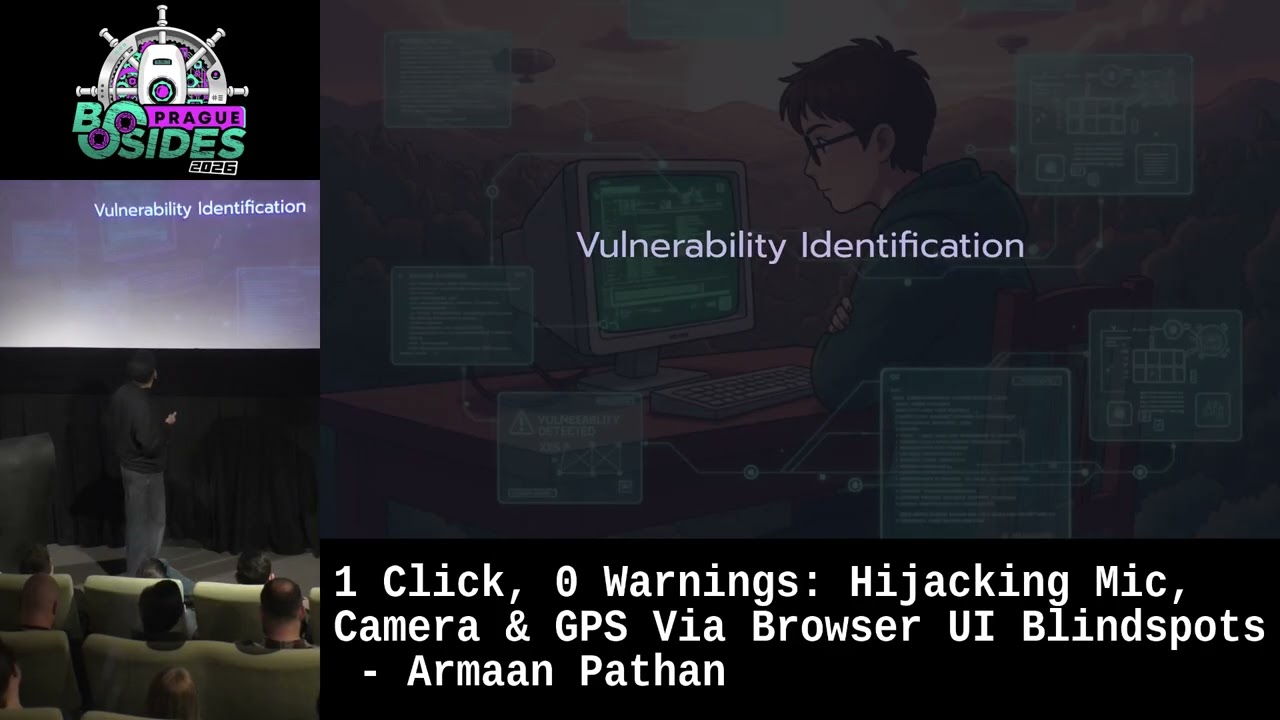
1 Click, 0 Warnings: Hijacking Mic, Camera & GPS Via Browser UI Blindspots - Armaan Pathan
Show transcript [en]
spoofing the prompt uh origin urls. So uh I'm based on uh Dubai and I work at uh at company called Kim where my uh core roles and responsibilities are to perform uh security research on secure uh mobile phones. Apart from that uh I also look for uh mobile and uh API security. Uh it's been a decade that um I'm doing a bug bounties on various platforms and yeah I I'm quite passionate about exploring the world and it's my second time in Prague so I love to explore the uh every new countries. Yeah. So we'll talk uh that why this topic matters. So nowadays if you uh visit any e-commerce website, any social media website, first it will ask you to
grant uh the current location permission. If you uh you know maybe visit Instagram, it it might ask you to grant uh camera permission or something like that. So uh permissions are quite common right now. nowadays uh mobile and web views. So if we talk about uh web browsers at least it shows the prop like URLs and parameters and something like that but when it comes to web views and mobiles it hardly shows the URL and if sometimes in application it doesn't even shows the URL it just shows the title uh pre-installed frames. So lots of uh companies allow third party companies to do a marketing by loading their uh ads into the frames and last uh AI generated codes. So
nowadays it is very common that every developer uses AI and AI doesn't actually think about the privacy. It focuses on the per performance obviously think about the privacy but they doesn't you know dig deeper into the privacy. So the agenda would be uh how permission policy works uh why uh uh different browsers or different engines has different implementations. I'll be showing the video that you know how we can actually spoof your permission uh uh origin in the permission prompts and last we'll discuss that if uh the this this is a feature or it's a a security bug. So what is permission policy? So if uh u a developer wants to restrict certain browser APIs but uh wants to
grant certain APIs for example there is the application requirement to you know give camera access but not a geoloccation access. In that case uh developers or application uses the browser peri. So in that it developers can enable and disable certain browser calls. And what is the core objective? Obviously uh to uh limit uh application for certain APIs uh for the security for the privacy reasons and as well as the performance reasons. Yeah. So we'll more about the permission prompts and permission policies. So before uh 2015 there there was no such thing in browsers called permission prompts and permission policies. So in 2015 uh browsers uh like introduced uh what are the permission prompts in which
uh uh browser shows that on from which origin you know application is trying to access certain uh permissions for example camera location or something like that but there was no such way to restrict those APIs it just shows the permission But next in 2018 the permission policy got introduced in which developer can actually enable and disable certain features. For example, just enabling a geoloccation, not enabling mics or any other sensitive APIs.
Yeah. So this is very basic that you know how actually permission policies can be implemented within the applications. So uh it uh developer has to set a uh HTTP uh header in which they can declare the policies and uh within the attribute they can also declare that which API should be accessed and which API should not and from which origin the APIs should be allowed and they can also block the origins as well within the header and yeah that similarly works at disabling or disabling browser uh browser APIs and something like that. Now uh this is very uh new thing which I have discovered while I was just playing with the you know the APIs and
everything. So, Chrome has a robust support. Uh, when we talk about this permission policy header that you can uh uh enable and disable this features for any any APIs. Similarly, Microsoft and Opira that core engine is a chromium based engine. So, they have this uh feature where you can enable and disable all all the uh APIs. But if you talk about uh Mozilla Fire proxy and iOS view so they do not support entirely or yes they support for microphones but it uh for other APIs they do not actually support. So you know you can come and just exploit it. If we talk about the web view, yes, it supports but I usually developers uh you know misses
uh the implementation and you know many times uh webs uh Android web views are quite quite older versions that developers doesn't you know bother about updating the current version. Uh who will attack and and at what safe? So as I have mentioned that you know lots of uh uh companies allows third party application or websites to display their uh advertisement. So in that you know uh it loads a sensitive data within the frame. Spiderwell vendors. If you talk about Pegasus or hermit or something like that, the their main focus is to you know steal sensitive information, track down uh a human activities and just exploit it and at what's obviously a privacy uh ad companies can steal uh
geoloccation data and probably according to that you know they will target the uh the uh user or something like that. sensitive data exposure. Obviously, uh if spyware will abuse this bug, they can uh track down what where you are moving, what you are speaking and objecting. Well, if you are sitting, you will just randomly click a photo. So, a basic attack overview. So in in general if we you know want to uh spawn any of the browser API we would require uh the uh JavaScript injection we can we can say XSS or something like that but in this HTML injection is enough with the HTML injection it can be exploited. We will embed our malicious code within
the hidden frame and hidden teams domain in such a way that it will not actually display to the to the victim that what type of you know data is being loaded within the frame. Permission hijacking. Once uh attacker will sorry victim will trust on the on our website and you know allows the permission it will hijack all the APIs which are camera microphone and GPS uh APIs your location APIs and then from there we will steal the the data the the location we'll be taking a photos we'll be silently recording. So vulnerability uh identification. So it is very simple you know browse any website uh you know find for HTML injection uh it can be accessed access can also be
exploited but you know let's let's say if has a CSP policy then in in that particular scenario you probably not be able to you know execute the JavaScript or maybe you can bypass it but there's going to be huge hustle if uh any of the user input or user pass data is passing in any of the things which are like inner HTML, outer HTML then in that particular case we can also explore this vulnerability and why I am talking about this. So let's say I have found uh exercise in Facebook and if I am sending uh the link uh to any of you like hey can you uh add me a friend request probably you will
trust uh you know Facebook and Facebook will ask that Facebook wants to you know access your camera you'll think that okay fine it's a social media website and you know probably this is the basic uh feature that we have to grant the permission so that's why you know I'm talking about the finding the uh the HTML injection within the application. Yeah. So we'll be uh so as you can see the trusted uh trusted side. So within the trusted side I have loaded a frame. For the frame I have I have basically displayed the different uh like frame tags in order to explain in easier way. So I'll be loading a Malaysia. So I have hosted my malicious content on
attacker.com which which is uh managed by me managed by attacker on that particular frames attribute I'm asking for the uh geol location camera and micros sorry microphone and I have set set the opacity to zero. So in that uh in that particular scenario it will not actually show that you know is there is one frame being loaded it will show a normal normal website that okay fine this is the website once this uh this will get loaded within the uh trusted websites page it will ask for the permission since uh we have uh it's uh mentioned the attributes within the frame and with the HTML injection uh we I have injected these particular frames within the trusted website. So now this
code is a this particular three frames are the part part of the trusted website. Trusted website will whenever the trusted website will lo get loaded browser will think that okay this is the part of the trusted website. Trusted website uh wants to access microphone, camera and zero location and user would probably you know grant access that okay this is the trusted website uh this is the basic requirement in order to you know uh use certain features or something like that. So it's it's something like that. So we have loaded hidden frame where on which is attacker.com where our xfitteration uh code is posted. We have mentioned the permission uh permissions that which API you want to invoke and setting the
opacity to zero. Whenever it will get loaded, it will show like this that trusted uh a website wants to allow uh access your camera and so so and so and prompts uh if you know see uh any of the browser the prompts will be the same. So this is like the Safari uh Firefox and this is like if you can see uh the uh top on the maybe uh URL it's a Instagram. So probably if Instagram if I'm sending a trusted website some over the Instagram so you'll probably trust that okay fine this is the the legit legit uh thing data filteration. So as soon as you will grant the permission uh attacker or attacker which uh the attacker hosted
that vulnerable code or uh the code on the attacker.com's website it will as soon as you know invoke that particular APIs and start Xfiltering the data. So once you have given the permission it will start tracking you down that okay fine this person is here and if you actually move it will you know quite show that this person is moving until you close the the browser or tab completely it will continuously click a photo of the user I was just sitting randomly and they started taking photos of mine similar like that it also record uh performs a recording if you grant a microphone permission and so I I was just uh I'm not a you know kind of person who
you know goes to a conference and uh you know gives a talks but this is something new for me so I I started you know digging more research that let's say if I want to present this I have to be very clear that you know from thinking about attacker perspective and And I was just reading some sort of uh uh things that you know how many people usually clicks on allow without actually you know going through the domain and according to some research to some university I I honestly I don't remember 70 to 80% people will click on allow without uh you know thinking about that on from uh which URL it is actually asking for the
permissions. So uh probably Yeah. Can you just uh go to the second settings and slow down the video?
So this is the legitimate website where I have loaded my attack my another website where I have hosted the code And it shows that you know legitimate website uh tries to access these APIs.
So basically it was a recording where I was uh it was continuously recording what I'm speaking.
Uh why defense space? So uh if you open this particular uh URL which has been sent by the attacker and when uh uh it loads within the page it will show the trusted websites. If we talk about uh mobile so the URLs are quite quite small. So uh or maybe it will only show the the title of the particular website that what type of which website is being loaded and which which application is trying to you know access those permissions and uh iOS and Android which we talk talk about it people usually do not uh you know focus on permission policies when it comes to loading uh data within the uh uh Android or iOS iOS access to
web use. Sorry. Yeah. So, how it can be mitigated? Uh as a web developer, uh if uh it's a sensitive application and it needs uh you know some restrictions, you can probably set permission policy headers and if you want to allow certain uh uh website to be accessed, you can uh define it within the attributes. uh uh if you talk about the web uh mobile applications uh it has an uh option on permissions request and wk uid delegate if you use it you can set up the permission policies for for the APIs over there for the browsers uh it should uh actually you know show that from which origin the data uh is being asked
or on which origin you actually uh it is sending the data on on initial permission prompt only. And users if you think that uh you have you might have shared some some permissions on some website which are uh shady or something like that probably you just go back to home and you can probably revoke the permissions. Uh so takeaways would be HTML injection is enough. Uh you don't actually require to fetch such sensitive uh data. uh all uh when you uh give certain permissions to certain origins uh it is not sure that you are you know trusting this website and giving this website certain permissions and views are the weakest link. Yeah. Thank you.
Yeah. >> Uh in your CST mediation, you you say that browsers could just show the the frame origin uh to the user. I wonder uh if the parent website gets the permission first and then the I frame uh is constructed. >> Yes. >> Uh this won't work. >> Yes. So attack uh so my my talk was not to uh target the permission policy but focusing the origin which which has been uh displayed. So if we talk about your website and your website is loading certain uh some website within the iframe and you you have a you know specified permission policy in which you know you have defined that uh this should be accessed from this origin only should be
accessed in that particular scenario. I might not be able to exploit this vulnerability and but if it is not that for sure it will work. Uh so if uh you would go to browser to revoke this permission will be stored uh under the parent or or the malicious >> uh under the parent because you ultimately have granted permissions on the parent domain. So if you uh browse that uh attacker.com it will again ask you without permission. >> Maybe in the demo you were showing the uh iframe in the URL in the get parameter. Uh so does it I guess it also works in like other ways like HTML injection right or >> yeah just it was not demonstrated. And
it was just demonstration not demonstration there.
Okay. So that's it. I mean you can uh if you have any questions or if you want to connect you can reach out to me on Twitter or LinkedIn or I have recently posted a blog about BSuit uh where I have leave the uh activation key. So you can just go there and read about my research on median. Thank you. Thanks everyone.
Related talks
 8:48:36
 53:47
53:47 1:00:45
 41:58
41:58 29:21
29:21 44:28
44:28