Getting started in embedded device research - Andy Monaghan
Show transcript [en]
Thanks for attending my talk uh introduction to embedded device research. I appreciate that. Besides um kind of a sort of real broad spectrum of people attending uh so I've tried to keep this reasonably light uh with a bit of technical detail if you're really into embedded device research you might find it a bit boring and if you're not you hopefully won't find it a bit boring but we'll see. So I'm Andy Monahan. Um I currently work for Cortex Security in Chelenham. Um, so I've been around a little while, a little bit silver in the hair. I've had various roles. I've been an IT manager, um, mobile software engineer, pentester, a government researcher, uh, most recently a
vulnerability researcher. Um, I currently spend about 80% of my time doing VR. Um, and the other 20 I've got a a new title as strategic engagements director, which I think means I get to do VR, but also come to conferences, which is quite sweet. I just wanted a bit of an anecdote as to how I kind of got into security. So, I mentioned I was an IT manager. I worked up for a small industrial firm in the Northwest quite some time ago now. Um, and they basically put me in charge of IT. Uh, and they said, um, well, here's our here's our server. This has absolutely everything on it. So, it's a shows for my age, but it's a Microsoft Small
Business Server 2000. And they said, yeah, everything's on there. All of the financial data and all the HR records and absolutely everything's on this thing. Um, so, you know, can you can you look after it? So, you know, being very enthusiastic, I decided I'd look through the logs daily. Um, and one of the first things I spotted um, sorry, is the is this. So, for those of you who aren't familiar with ancient artifacts like logs, uh, this is basically saying that there are lots of web requests. It's just one of them where someone successfully done a HTTP get request um, for the command shell on their main server. The 200 there is the Okay, that
works. So this IP, I think that's a a Russian one. Um they were just walking through the server and just taking a nice look around. Um so obviously that had to go. But that was a really nice introduction to security. Um and really got me me hooked. I I basically thought I want to be that guy uh when I grow up. Um so there we go. So in terms of uh the presentation itself, it's probably worth defining what an embedded device is. Um, I mean, most of you probably know, uh, but if you want a sort of a a semiformal definition, it's a specialized computer system designed for a specific task. And there's lots of examples in in your
everyday life. Uh, so you've got cameras, Wi-Fi routters, um, MBR, so storage, video storage, consoles, smartwatches, smart fridges, cars, drones, smart thermostats, and, uh, sex toys. So, I'm not I'm not entirely sure what this does. I mean, I can guess. Um, but you know, I think it's great that they've decided you can take a sex toy and connect it to the internet. I mean, what could go wrong? Amazing. What I really, really like about this, um, is the fact that the companion app has a microphone, and I'm really curious as to what that does. Um, so I've ordered one. I'll let you know as soon as I difference between embedded devices and embedded systems. So, I guess embedded
device, you might want to think about it as a physical standalone product. So, something you can hold. Embedded system is all the sort of hardware and software hidden inside that makes something work. Uh, so you've probably all got an embedded system on you now. Um, so this is the latest iPhone, I don't know, 17, um, a Galaxy S25. So yeah, that's an embedded system. Um, and if you think about a tax surface, if you look at it on the face of it, yeah, there's a, you know, a USB slot or something like that. But if you if you look inside, it's just bristling with with chips. So this has G CPU, GPU, MPU. You can read all the rest. Each one of
these is a sort of discrete attack surface that you can you can get to. It can give you some level of privilege. You can move laterally. Um really really interesting. They generally run sort of real-time operating system. They're mostly uh ARM cores cuz they're low power. Um but each one is kind of a system in itself that you can you can attack and hack essentially. Um sometimes embedded systems reveal themselves in in curious ways. And I have a few examples here. Uh, so this is from the tube in London. It's not the right type of pie, but you know what I mean. That that is something that was seen. So whether that was a joke by a
developer and is actually a Raspberry Pi. Um, I like this one. Um, something went wrong. Healthy living isn't available in your country. Could be from the US. I'm not sure. Um, and and the famous M blue screen of death. Um, I really like that. Uh, that's Windows and Bed. I should just point out we're not going to talk about that today. That's a slightly different beast. There's a lot of that out there. I was in a pub in Shelton the other day and they're using Windows Pre 2009 for their till which is like Windows XPS3. Um so running a 16year-old operating system. Um I really like that. So embedded devices or systems what what do
we tend to see? Um well you'll be familiar with some of them. So Android is a good example specialized operating system iOS. Less familiar to some of you might be real-time operating systems. So used in um automotive and telecommunications. Uh so VX works is one example but today we're going to be talking about um embedded Linux Linux embedded if you like and in terms of architectures you won't find much x8664 in these things because that's quite power hungry that's like a cis a complex instruction set we're looking at risk architectures like arm papacy etc. So, um, why do you care? Um, well, perhaps you don't, in which case I apologize for the next 35 minutes, but
there's a few, uh, fun examples. So, this is really nice. So, someone took an old Kindle, um, that they weren't using anymore. Uh, and they used one of several exploits to sort of jailbreak it, installed a uh, co-reer kiosk, and then they created their own app where they use the TFL Transport for London API and their stop ID, and they hang it by their front door, and it just basically tells them when the next bus is coming, relevant to their stop, which I thought was really sweet. Um, and we've got a Nest thermostat. Cool. So, older thermostats, generation 1 and two, they were sort of end of life, um, back in October 2025. And that's really
annoying because it just shuts down all the smart features. You can't control it from your smartphone, do a bunch of other things. It's basically just a dumb thermostat at that point. Um, and some guy got so in sense with this that he actually um went and did some research on it and managed to um, basically hack generation one and two. Generation one requires a bit of a a bit of a hardware effort. you you take the case off and you just have to bridge some contacts to get into DFU mode. So, those of you in familiar with Android or iOS, that's like um be able to replace the firmware in that mode. Generation 2 is really
easy. You just need a USB cable. Um and you can see here he's used it in this case for to turn it into sort of a photo carousel which is quite nice. But equally, you could restore the firmware allows you to restore all those features. Uh which is quite sweet. Uh this one more recent. Um, so this lady in Australia, uh, XSS Fox I think her name is. She went down her local tip and found this um, is a Cricket Maker. Don't know if anyone knows what this is, but it's like a 350 quid piece of machinery. Uh, it's a professional grade smart cutting machine. Allows you to do cut right and engrave on paper to leather to
balsa wood. It's pretty cool. Um, and she saw that it just has what seemed to be perished rollers, but otherwise it's in really good condition. Uh, so she took it home. I don't know if the the rules are different over there. um just to take a look at it. And she was able to to use that little gadget there um a USB proxy to basically she worked out that it just needed um a new serial number because uh Cricket basically disabled these things. So this was probably a warranty replacement and they disabled it in software so it said it couldn't be used. She did a little proxy where she was able to register a new
serial number um and swap it out and then voila, she had a a brand new well basically brand new 350 quid machine uh which is quite cool. Um, obviously when you're talking about embedded uh device work, if you think think about a thing with a screen, the first thing people um tend to ask is can it run Doom? Um, so this is really nice uh six-part series on automotive hacking. Uh, this is a Hyundai head unit. Uh, so when you drive your car, the bit at the front normally has the music and navigation and stuff. Um, this chap decided he wanted to run Doom on it. So, it's got a really nice blog about how he got that working um,
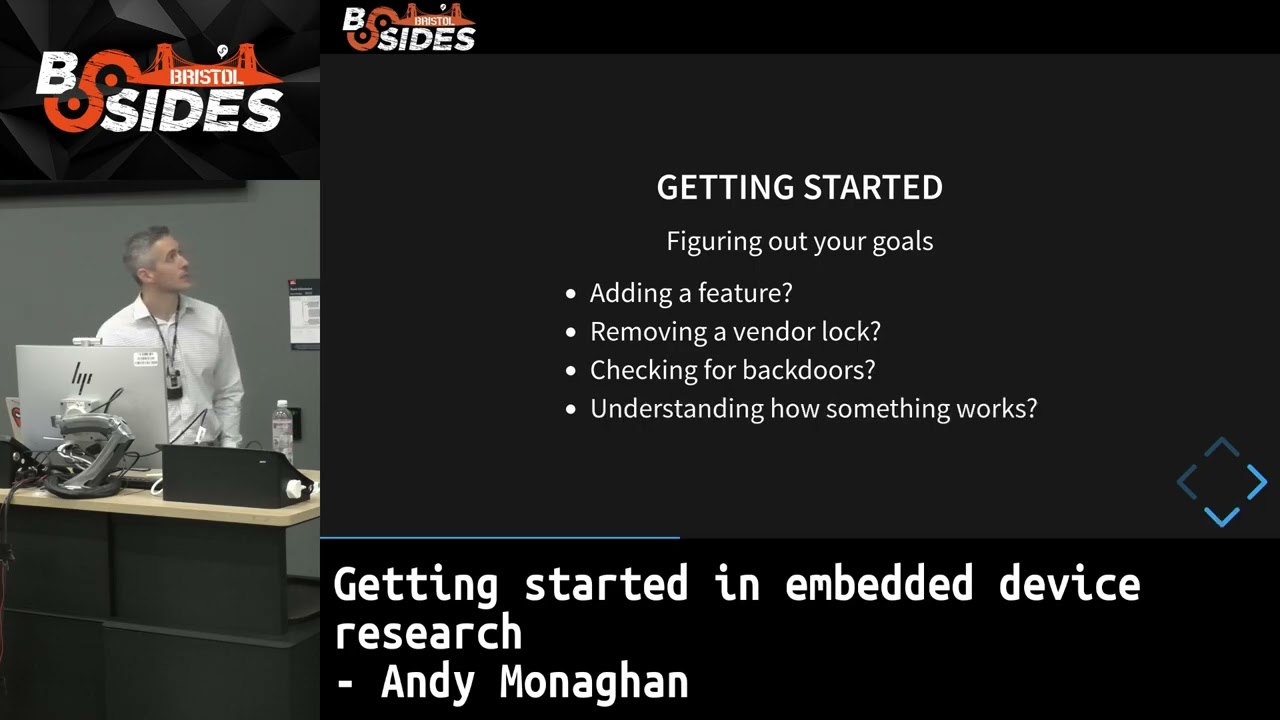
and how he got Doom running on it. His warning is though, don't play it too much cuz it does wear out your tires because he's actually using the steering wheel to move left and right and controls the fire. Um, worth a look. So, you want to do some embedded device research. So, where to start? I guess the first thing is is figuring out your goals. So, what you want to do? Do you want to add a feature to something? Um, remove a vendor lock like we saw in the the nest example. Are you checking for back doors? Pretty hot topic here at Besides. Um, or just want to understand how something works, which is how a lot
of people get started. Um, a lot of my younger colleagues certainly in in Core, the way they got started is they just wanted to cheat in games. And that's actually seems to be a really common pathway into vulnerability research. Go figure. Um, so as you're getting started, the first thing to do um is actually just look around and see what other people have done. This isn't cheating. This is like standing on the shoulders of giants. You can get a really big leg up. um they might have done some research that you know maybe there's a an exploit or a vulnerability that doesn't work anymore but they've done a lot of work to sort of understand
the file systems formats etc. You learn that and then you build upon it and that that works really really well. Uh the next thing you might want to do is enumerate um the attack surface quite familiar to to those of you who do sort of pen testing red teaming etc except on the embedded device it's kind of you know it's there in a box in front of you. So if we take a wireless router instantly you can see you know several interesting things. It's got LAN ports. It's got a WAN port. It's got wireless uh and a USB port. So, you start thinking about, okay, well, what might that give me? Um, obviously on the WAN,
the LAN the wireless land, there's going to be services. So, you might have HTTP service running an admin page or admin set of pages, UPMP to punch holes in the firewall. Um, and then just things that people don't often think about, DHCP and DNS, just the things that it needs for you to have a network. Um, but all of these things could be vulnerable in software. So, worth having a look. USB is quite interesting. That's likely for plugging in some sort of drive so you can share your photos over the internet cuz why wouldn't you? But equally, it represents a really interesting attack surface. Um, you could potentially um there might be a debug pathway that you
discover in firmware via USB or you could plug in um like a Raspberry Pi using the sort of onthe-go um USB stack and say, "Hey, I'm now a keyboard or I'm something completely different." maybe put the kernel into debug mode using a certain key press. So there's lots of different ways you can do this and of course everything has an app. Uh so it's worth looking at mobile uh sort of cloud APIs. So once you've identified your attack surface, you need some sort of instrumentation and by this I mean if you're starting to send you know malicious packets to a service, how do you know what effect you're having? Um it's not like a desktop PC where you can
just you know look at the logs. Um you you need to find a way of having that and that might be finding logs. So if you go on to say a router um router or a cameras um admin page uh there might be logs here. So for example an open WRT a really nice operating system for for home routters. It gives you a nice system log cuz this is kind of divi designed for developers but a lot of them have it and also a kernel log. Um both of these could be really valuable if you're trying to find a way into a device. So you've got an idea of instrumentation you might you know see some output. Uh
so how do you actually get hold of firmware? Um, I'm just going to mention firmware uh because not everyone realizes this. Firmware equals software. It's it's not that fancy. Um, it's just software. The difference is with firmware software is that firmware is designed to be embedded um permanently or permanently in the device, but effectively it's just software. Often contains other things like the not just the operating system, but the bootloadader and a bunch of other stuff. Um, but that's all it is. So, the first step is you could possibly simply download it. A lot of vendors actually just give their firmware away because you still have that sort of manual update cycle. early on home routers and
cameras and things, you can often update it through the the web UI. Uh if you're lucky enough to get a shell, um so have a command shell on your device either through SSH or uh some methods we'll talk about in a minute. Uh you can just copy it. So um here I'm just cutting the sort of partitions and there's a nice one named firmware. I'm just using the Linux DD tool to to copy that input file, output file. Um and then I can then FTP or SCP that off and start analyzing it. Um, not not to mention looking on the wire. So, using Wireshark, uh, you might be able to just capture some firmware. Um, if if you're
able to click an update button, get request, and get something pulled down. You'd think everything would be encrypted, and it often is. Um, but actually, sometimes vendors just can't be asked with managing certificates. Uh, they worry about that sort of thing. So, they say, "We'll just sign the firmware, so it can't be modified in transit, but it's in the clear." Um, which is great because you can then take that and do it and start analyzing it. Uh and then finally you've got things like um mittum proxy. Um this is mittum web but it's part of mitt proxy which is really nice if there is sort of um TLS or SSL involved. Uh you can actually do a sort
of a machine in the middle attack intercept those requests and sometimes still manage to get that that firmware. Um if you're you're really into it, you could even get an older version of the firmware. Uh if you know what you're doing already, you've been around this loop a few times. You can actually reverse engineer that and just work out how it's connecting. how is this device connecting? Um, just write up a bit of Python or something to to do it yourself. Not only then can you download the current firmware, but possibly all the other firmwares, all the firmwarees for all the models and then to do, you know, big data on that. Uh, this is just
where someone's written an actual full Python class for ASUS routter API, which has lots of features, including firmware downloading. Um, so it wouldn't be in a better talk without talking about harder options. Uh, this can be a little scary if you're new to it. Um, but it doesn't have to be. So there's lots of different ways that you can attack hardware, but I'm going to talk about the the most common one which most people or some people might have heard of. Uh so this is UART or a serial uh connection. So this is a a generated image, but it it it shows you a a populated and labeled set of pins for UART. So VCC, that's a power
pin. You've got ground, TX's transmit, and RX is receive. If you're very very lucky, you might come across a board that has this on it. It's pretty unlikely these days. You're more likely to see something like this. Um, so unlabeled, unpopulated. Uh, the square there is representing power. Um, but I'd always want to test that with a multimeter. So, power on and just check, okay, what's the voltage on that? The other pins, it's actually quite easy to work out if they're laid out like this. Because one will be ground generally, uh, you can use a multimeter to do a continuity test. So, you just put your pin on one end, put your pin on a
shield, bit of metal, even a bit of metal in the bottom left corner. It'll beep and you found your ground. The other two are TX and RX, and you can't really go wrong. You just try one and try the other. See if you get any output. Um, and you probably will. Sometimes vendors are just malicious and they do things like this. Uh, so this is a BT Home Hub 5 going way back. Um, but there's a I think there's a ground, a TX, an RX, and a boot select pin. Um, obviously I've highlighted these, but if you were just looking at that board, and there are many other pins on this board, um, you know, how on earth do you find
that? And the answer is you do lots of testing with multimeters and you burn a lot of boards by shorting a lot of pins. Um, but fortunately the folks at OpenWRT had done this through donated boards. So that's really cool. So you might be wondering, okay, we've got pins on a board. What do we actually connect to those pins? So this is a common garden USB to serial adapter. You can see in the bottom right, even though the jumper is in the wrong position, it's got similarly labeled pins. You can see VCC, ground, TX, and RX. Uh, and the top one's the USB that plugs into your host machine. And in terms of wiring up, uh,
it looks a little bit like this. On the left is your your host computer. So, what you're analyzing with on the right, your object, GoPro, you know, camera, whatever it is, um, you can plug these in. You don't generally need power because the target object itself provides its own power. So, you can kind of ignore that for the most part. You do need ground, uh, or you'll just get garbage. Your transmitter has to go to their receive and vice versa, which just kind of makes sense if you think about it. Um, it's worth saying that to connect to those pins, if they're really nice, um, you know, you can you can get adapters, etc., and you can solder on
pins. Um, but it doesn't have to be expensive. I was at my my mom's the other week, uh, and I saw that she had a sort of Mountain Warehouse clothes peg here. And I said, "Can I have that?" And she looked at me very quizzically. Um, but then sort of rolled her eyes because she's used to weird requests like that. Uh, I actually put this to to good use. Um, so there there is that. I used a prodigious amount of of hot glue. Um, but that is a Nest camera. Um, and the sort of bottom right there where it's clipping onto the board, that's actually the UR. to the three tiny tiny pins. Um, and I couldn't work out a really good
way to connect to them. Um, I'm not really good at soldering on to just uh just headers like that without sort of through holes. Uh, so I used the close peg and it worked really well. Um, so yeah, you don't need to spend a lot of money to do some of this stuff. Um, if you do want to spend a bit of money, this is a sort of a a clip-on flash reader. So this is where a chip is actually still on the board. Um, you can just like a peg, you can just clip it on. It attaches to the correct pins if you get the right size and then you can just read the the flash memory. So it's
almost like the hard drive of the of the IoT device. Um if you are doing it this way, I'd recommend you isolate or lift the power pin on the chip. You can get data sheets to tell you which one that is. Um just cuz otherwise when if certain circuits get energized by your uh your device here, that can damage the board a little bit. Um if you're happy to to use a bit of hot air, um a haird dryer might work. Certainly a paint stripper that works. Um you can actually remove chips off boards. It's not that difficult if they're uh you can see the pins. If you can see the legs, it's generally easy. Uh if they're what we
call BGA, so there's solder balls underneath. It's a little bit more complicated. Um but here's an example of where a chip on the left there has been removed. Um there's just various uh clips have been put into a breadboard. It's just a that just connects the the the clips. That's a Beagle Bone Black similar to a Raspberry Pi. And that's another type of serial adapter. It looks all very complicated with all those wires, but that's just a really cheap way to use a bit of Python on that embedded board to read the chip. That's all it's doing. And there's loads of guides out there on the internet. It's it looks complex. It really isn't. Um so
you can read off the entire memory of that. Um and if you're good enough, you can get that chip back on. Um if not, you're going to have to buy two. Um, if you want to pay a bit more money, you can go on AliExpress and for about 50 quid, you can get something like this, which has, you know, literally hundreds of different clips and um, it's a chip reader that can read different types of chip. If you're interested in what that looks like, so once you've got the chip off and you've read that image, it's often not straightforward to turn that image into a file system. There's a lot of extra information that comes on a raw
nan flash image. Um, so shout out to my my colleague Dan from Core who beside Shelton doing nan flash the files and back again. and he's going to go in that in, you know, glorious detail. So, you've got your firmware blob. What do we do with it? So, here's just a be a brief look at um a basic layout of a firmware. So, I've just kind of made this up, but based on experience, this is what you generally see. So, you have a bootloader, something that sort of bootstraps the device, um gets memory ready. You've got the environment variables for that. A kernel stub, so generally your Linux kernel is going to be compressed because there's lots it's
all about space saving on these devices. So on flash this is going to be compressed and the kernel stub is designed to load that from flash uh decompress it and load it into RAM into running in memory before jumping to it and then you start your Linux Linux kernel execution. The root fs root file system um for those who've done embedded work there's uh squash fs JFS2 Ubis there's lots of different types of file system um but generally you'll be able to extract that and get to the files themselves all the you know system files etc etsy password and all that sort of good stuff. uh apps is generally going to be the the userland apps that's
sometimes just included in the root fs and the bottom I put key key matters key material so grip material that could be quite useful if say you've managed to take a a reading of a nan flash and you've been able to do some work on it you've got some key material but when you download a new update with your fancy script um it's encrypted the device needs to know how to decrypt it so it's more than likely the keys are on there somewhere and you can get them and and decrypt them which is quite Um, you also will often see this repeated. So, you'll see that pattern and then you'll see it immediately again on the flash. And the reason for that is
quite cool. Um, it's one of several reasons, but here is one. It's called the AB model of update. So, pre-update on the left, you've got the version one. It's the active partition, partition A. You've got another partition on the nan partition B, which is empty and inactive. Oops. If you download the update, um, you can see version 1.5 is now in the partition B and is still inactive. Um, basically the system says, "Right, I'm going to try and switch over. We'll need to reboot." Um, when we reboot, we come up and we try and load partition B. If all goes well, we're on version 1.5. Happy days. It's been a success. Um, if all goes badly, we can
basically reverse that change, reboot, and start from partition A again. Uh, we can keep going like that's just sort of a safety safety feature. So, once you've got your firmware, um, what are you going to do with this? Just this blob often and you don't really know what it's about. I'm just going to shout a very humble tool here which those of you who use Linux you know might overlook but strings um strings on Linux just a command you run to print sequences of printable characters. People use it all the time but it's kind of like an unsung hero. So if you run it on an image you get something like that. Um so this tells you a reasonable
amount. So it's telling you a little bit about okay what compiler was used. You know it's kind of gives you a little bit of a hint there something to do with networks. Um it it's just quite a useful tool to have a quick and dirty look at um look at something. This might not count for malware analysis. You've got obuscation, encryption, etc. Um, but it's it's worth mentioning. That's a nice tool. Another one, file. Um, a lot of things work on file magic, which is basically a sequence of of bytes that's used to try and understand what a file is. In Linux, if you run file on something, so in this directory, I've run file style, which just means tell me
what everything in this directory is. And basically for for most, in fact, for most things there, it's it's managed to pick up something. It says either it's directory, it's a text file, it's an executable, gives you the architecture. Um, interestingly, the file command uses a a file in minutes that's normally traditionally in Etsy magic. It's a massive file and it's basically a historical artifact. There's so many cool things in there. Uh, for example, 4D5A. For those of you who work in Windows, you recognize this as the MZ header. So, this is was invented in 1981. Like I say, ancient history. And that's um Mark Picowski. So, one of the principal Windows engineers invented that format. Uh, it tells you a bit
about what to look for in a file. Tells you what it is. Gives you a mime type and a bunch of information. But that's how how file works. Um, if you've ever accidentally opened up a binary in a in a text editor, it probably looks something like this because binaries don't text editors don't like binary. It's not printable characters. You might get some strings, but it looks a bit of a mess. If you're a VI person, you can just colon percent bang xxd and you get a much nicer view. So, this is the same file, but it's now said, right, I understand this is a binary. I'm going to do a hex dump of this. So on the left
you've just got um offsets in hexodimal. In the middle you've got your bytes and on the right you've got the asky representation. So if it if it's not printable character it'll put a dot. Um if it's a dot it'll put a dot. So there you go. It's a bit confusing. Of course most people don't like working on command lines. So there's plenty of um graphical options. Uh you might have used 010 editor. That's sort of a more of a professional uh tool. Um but recently I um came across IMEX which looks really good and this is free as well for sort of personal use. Much like O and O it's a nice graphical hex got
loads of features. So you can do things like check summing. You can highlight a big selection of bytes and say right I want to try running all these different check sums and it'll pop out check sum and that might be useful to match up something in the header. Um it's also got loads of templates. You can define your own for which is a common Linux file format executable and linkable format. Um it's got its own um you know template there. So, I know the color scheme is a bit mad, but you can drill down into the the ELF header based on the spec. It tells you all the different bites and what they mean. Uh, which I
think is really nice. So, just a quick example. Um, I was recently looking at some Real Link cameras. Uh, cuz I was trying to move away from Nest cameras. Uh, so I ran file and this is what you get back. Data. It's really not that useful. Um, I know it's data. That's why I wanted you to tell me what it was. Um, but it doesn't tell you. So, if you fire up a hex editor, um, this doesn't tell you much, but what I want to do is take you through this cuz actually that looks like a wall of horrible. Um, but it's quite cool to sort of go through it. So, the first thing you might have noticed
is there are some strings in there. So, cut off the edges there, but loader boot kernel res. These are all things that, you know, we kind of understand a bit about what this thing is doing. We talked about file magic. So if we have another look, the first four bytes, that might be some magic. It doesn't really make sense to me. Sometimes the magic kind of is an acronym. This case it probably isn't. Keep going. The next sort of eight bytes, um, that one could be a check sum. The other one is a little Indian number. So you read from right to left. So 2C 02 in hex. Not quite sure what that is. Check to see if
it's an offset. But what we do know is there's a string there. Um generally in um in embedded devices or Linux uh things are written in C a C programming language um you're going to have a a fixed size buffer for a string like this uh and it's going to end with a null character to know when the string stops. So in this case we can go all the way up to the next string and say okay that's a 32 by buffer. So we can colorize that and say great we think we know what that is. Then we got this weird um asy version string. You wouldn't normally do that. you put it in sort of binary cuz
you save a lot of space and then you'd convert it when you want to print it out to a user. But for whatever reason they've decided they want to actually put the string version number in there. So you got a 24 by buffer. So we're starting to get an idea that you know we're building up a picture of the header and then the next two sort of uh four by blocks take us up to the next section. So the FPT on the right represents the start of a new section. So we've actually got a bit of a an idea of the header here. And I can see from those two bits in purple they look like
two numbers little engine again. So, we've got reading from right to left. Starting on the one on the right, that's like 8,000 hex and then uh 728 in hex. That feels like a size and an offset. And indeed, you can go down and confirm that it is a size and offset. So, what that gives you is just from looking through that and making some sort of intelligent guesses, uh we can build up a header. Now, I've written this in C. You could write it in Python. You could script this up and basically extract all those sections into nice individual components. So we've got our 32 byt section name 24 by version str r str r
str r str r str r str r str r str r str r str r string an offset and the size the header itself I've put this section structure as as array of eight cuz we we can see eight sections in there some some don't have labels and you can see I put unknown one and unknown two for those two bits cuz I really don't care it doesn't really matter for being able to extract the firmware um if you don't want to write a script um again once with that information you can just use a common tool like dd which copies bits of binaries in this case I'm taking the firmware file as the input file output
file fdt.bin in the skip and the count. That's basically I want to move to this offset and I want to copy out this many bytes. The um the dollar and parenthesis that's just a nice bash way of taking a hexodimal number and converting it to decimal. So that's what these tools take. Um so if you put hex decimal net wouldn't really understand them. So um we could do that with a calculator as well and put that in equally. So we then want to confirm that's what we expect. If you Google FDT and Linux it'll tell you um what it is. it'll talk about uh the sort of memory mapping and the hardware mapping um and basically
tell you it's a device tree blob and indeed now file is happy. It says yep I've read the magic at the top of that new file. We've got a device tree blob. It all looks kind of sensible. So we're starting to understand that we can pull out different partitions which is pretty cool. Once we've done that we can store standard tools to work with these as well. So device tree compiler, this is something that will take a binary blob of a device tree which basically describes all of the hardware components for a machine. And a machine can be your camera, your car, whatever it is. Um we can say take that binary blob and give
me the the source tree. We run that uh and there we go. Comes out. You know, we've now got a really nice uh view of that. Uh so if I can just scroll down, the chip is a Novatech in this particular device. Uh excuse me. And the is a ARM Cortex A9 processor. So you know the architecture now if you started looking at some of the binaries you'd know what to sort of look for. Um which is quite cool. Um I haven't mentioned so now because the first thing anyone will tell you is about binwalk. Um binwalk is a tool where you can run it on a binary and it will try and guess what that is.
So people run it on firmware and it comes up with all of this lovely list of everything that it is. Um it it's it's good, don't get me wrong, but sometimes you run binwalk and it'll just give you zero results and if you've not done any firmware analysis before you won't necessarily know why. Um, so in this case, you know, it's it's correctly identified some things. It's not very good at getting the end of things. It knows where the start is, but what you tend to get is, you know, you might get like a gig of file because or several gigs of files cuz it just doesn't know when to stop. So, I know where it
starts. I'm just going to copy it out. Um, but but useful to know about. Something worth mentioning for bin walk is it has an entropy feature. Entropy is basically a measure of um of randomness. This is good. If you see a a yellow line going up top from one all the way across, uh that is bad. That's how I think about it. That generally means it's either encrypted or compressed. So, um the level of random data is high. Uh and that might be where you don't you don't get too much joy. Um so, you have to figure out what that is. If it's compression, decompress it. If it's encrypted, you need to find out what is
decryptting it and go through that process. But in this case, you see something that's got lots of wiggly lines, it means you're going to have a good day. Uh just honorable mentions, uh the tool called Binn, which I just I love that name. a command line tool to visualize a binary by just colorizing it using RGB color values. So basically that white band in the middle that's going to be fs um and there's lots of different data can help you jump to to different bits of the binary. Even better bin vizio. So here you can click on an individual pixel and it will jump you to that area of the binary and show you the hex dump on the right which I
think is really cool. So you can see that's I've just clicked in the top left there and it's showing us that header that we looked at before. honorable mention for unblo um because that's just a written rest a bit faster than binw walk. So another example I'm going to have to rush through this um I was looking at a linkis develop um device that's provided by my uh fiber provider. Um I really wanted to run open WRT on these things because um the the web and the app uh the web goo and the app are just eye gougingly bad on links. So I wanted to flash them. That was all good on two of the devices but not on the third. So you
can see here there's this isn't mine but there's an example uh where you can upload your own firmware. So there's a manual where you choose file you run it on two it went perfectly on the third I got this invalid firmware file uh talk to your ISP about firmware updates don't do that because they won't know what you're talking about uh and just tell you to go away. So I did took my own advice. I went to the internet uh and and someone on the internet basically say sadly the previous unlock message uh method doesn't work. Uh the stock app's terrible. I wish someone would come and uh and save me from this awful software.
So I was very excited about this um this challenge. Uh and also I get to help some random on the internet. This is this is this is all a bit about me. Um so I went on to OpenWRT. Uh they're really good. They've done a lot of devices, so they could tell me exactly where to plug the cables in. Um, I installed a terminal emulator called Mincom and others. I pointed it at my sort of virtual device and ran it. Uh, and you get this nice banner. You get a shell. Um, and you can basically start poking around. So, having looked around, I looked at some of the messages. Uh, this was the problem. The device thinks
it's an MX42 CF, and the image I'm trying to store is an MX42. Um it was actually easy for me to change the device rather than the image for various complicated reasons I won't go into. But effectively there was a comment in this file which said uh the device cannot be updated um to retail firmware which no one likes to be told you can't do something. So actually it turns out there were just some global variables. If you set them and rebooted uh you could just you could just update anything. Um which I was obviously feeling quite smug about. So uh oh have got more time than I thought. That's good. Um, I'll go into
some dynamic analysis now. So, static's all very good. You can learn a lot from static analysis and if you're really into it, you can you can pull out binaries and load them up in Draider or another disassembler. Um, but dynamic analysis I find a lot easier cuz it actually just throw stuff at something and see what happens. Um, that's just how I how I think. Some Linux builtins, LSNPS, those who use a Linux use it every day. They're generally on everything. Other things like LSOF uh list open file handles and netstat tells you about network connections. They're often actually not on embedded devices. Um if it uses busy box or something, they're just not compiled in because um
they want to save space and they don't expect people to be poking around in them. So they have the basics but but not a lot more. Um most standard Linux tools actually use the proc file system. Uh so this is a a pseudo file system. It's essentially an interface to the Linux kernel. Uh which is really cool. Um and you can go in and poke around uh to an extent. So just as an example um if I run PS uh on a device and I've just snipped it to to show one process um with process ID 974. This is Apache. So this is a web server. I go into proc uh I have to uh do su to get a root shell
because you can't just poke around in other processes business without being privileged. Um but I look at the command line uh file within that process ids directory and it shows me what it was launched with. Perhaps not much better than ps in this example, but sometimes you get really long command lines and the ps uh command trims them off. So that could be quite useful. And again, another one, the environment that the process was run under gives the user. Um, it also has tells me there's a log directory, so that might be useful. This is Apache, so it's kind of stuff we know, but if it was an unknown process, that could be actually quite useful.
This is probably very tiny. Uh, sorry about that, but um, my house up there. So this is cat propnet TCP and there's also a UDP one. This is what netstat basically works off. Um so you can see a local address, remote address and then three lines. Uh they represent um in the in the first couple of cases some listening servers because there's no remote address. You see it's all zeros. So these are listening services. And then the uh the third line down there, the last line that's representing a connection. Um, so if I just show some of that, um, where you see a service listening and it's got, um, all zeros, so it's not got
an IP address, it basically it's listening on everything. Now, this can be like gold cuz it's listening on not only the the LAN side, your your local network side, but it could also be listening on the WAN side, so the internet side, um, if it's not firewalled off correctly, that could be really interesting. Um, you'll notice it's a bit weird because all of the addresses are in the hex and also uh, Indian swapped. Um, so that's basically saying that line one there is IP address 127001, so it's local host. Um, excuse that I've I've taken the hex of the the line above. That's port 22. So that's an SSH server. And then finally on this
slide, that's actually just showing established connection. So something u 124 there uh is connecting to us on port 22. So that's probably me connecting to the SSH service. Um, what's really cool about this is the IODE value. So you can see we've got something there. It's listening on TCP 3306. Um some of you probably know what service that is. But if we take that iode value, we can actually go back to the proc file system. Um so say we've got a random server in there like what is that? What's it listening on? Um and how can I find the process? Look at that 8462. We go back into proc. I've just used find here with a bit of regular
expression. So find a directory named proc some number FD and look for a link that's named socket 8462. even put whatever the iode value is in that 8462. Um, and it's told me, okay, here it is. It's under PID 943 and it's file descriptor 25. Can confirm that's what we're we're looking at. So, the user there is is my SQL. And again, then we do a process listing looking for grepping for 943. And we can see it's discovered that that service is Maria DVD, which is part of the Linux sort of lamp or web stack. Um, I've used fine there. that often isn't on boxes as well, but you can script that up with something like readlink as well. Um, so
talking very quickly of a proc pitf one problem I find often is if you get a service you're really interested in attacking uh and you're reverse engineering it and you can see lots of print statements in there that would be really useful if they could be logged out often um programs are started a bit like this. So ignore everything apart from the amperand redirect devnull. That's basically saying I want to send all output to a black hole. I don't want to go into the the console or any file. Um it's quite irritating. Uh so you might think, oh well, I can just um kill that and start it again. Um but often there watchd dogs in place so that
doesn't happen. So um just a quick segue to a debugger. Uh debuggers are tools that provide tracing, examining, and altering the execution of program. There's a common one called GDB, um which is 40 years old this year, but that's pretty ugly. Uh it just allows you to inspect memory uh and registers of a process. Uh there's something called Jeff which is a bit of Python that makes GDB arguably less pretty but it has colors and it also follows strings and it shows you where you are in a program prints out the stack. Um it's it's pretty nice but various different things you can do. And finally on GDB if you're ever trying to get GDB
onto a device that's got a different architecture. So you're on your your host PC x864 or AMD and you're trying to get something onto um a target machine running ARM. You have to cross compile that thing. GDB is a bit complex. Sometimes that's difficult. GDB server is just a nice little stub that acts as a proxy. A lot easier to port. So you can just cross compile that, put it on your target machine, and then your GDB on your host machine will talk to that and debug the the process. I could do a whole talk on that, but obviously uh no time. So our output's been um black hole. We can't see it, but we want to we
can't kill the process cuz the watchdog will aggressively restart that, but we really want to see that log output um to watchdog. So we can use GDB to attach to that process. It's just basically going to when it attaches it pauses the process and you basically got a window into its memory. You do need to be privileged to do this. Um but if you're a researcher and you're you're working on something you can. So this is J to find vulnerabilities. Um so once I've done that I I can do a little trick where I can just run some commands to open a new file. So standard out.log. Um and I'm open it to just say if it's not
there create it. If it is there append to it. Uh and I can say and I want to duplicate that file descriptor and put it into one. So one is uh your standard out. So I say anything that goes to standard out. So in C print F goes to standard out send it to there. And then the same again for standard air number two anything with like f print f standard error that will go to that one. Uh and then I can just let that program continue and it'll start just giving me uh lots of nice output which is really really useful for tracing. So I think I'm just about out of time there. Uh so
just to summarize if you're interested in embedded device research identify your goals. um use existing research. It's really good to build on other other bits of work. Enumerate the attack surface. Um obtain the firmware however you can. Bit of dynamic analysis um and profit. Um and that's it. If anyone has any questions for me, uh you can you can hook up with me on LinkedIn. Um it's worth me saying that our company does have vacancies in various roles. So if you're interested in doing this sort of thing, um or many others, come come talk to me or or use the link above. Um and that's it from me. Thank you. Thank you.
>> We do have a little bit of time for questions. Yeah, if there's any. >> Um, yes, do raise your hand and I'll come with the mic so we can hear your questions. Oh, mic. Thank you so much. Awesome. >> Um in the front row just middle middle front
search. This is a fresh air. Obviously most consumer devices maybe other stuff you see express most consumer devices that have prod
there's no JTAG there's no way of reading the chips as they have on them what would a security researcher in your case as your company would I would say unlimited resources what would you do to resistance >> ah we had unlimited resources um yeah with those sort of things. You're right, that can be quite a barrier. It's reasonably rare on cheaper devices to see that um where it's not possible to get any sort of foothold. Um if they've done a really excellent job, the only thing you really can rely on is is sometimes leaks. Like I said, older firmware is quite a good way to look at it because you can find zero days um and
get on it that way if they've really blocked off the hardware route. Um otherwise, you can there are things you can do like decapping chips, but you do need specialist equipment for that. Um so unless you have the resources to do that uh generally it's yeah trying to find a zero day and going in that way. >> Any other questions?
Um yeah, that was a great talk. Do you get much mileage on dynamic
techniques and how scalable are >> we? We do. We do as a company. Yes. Um you're asking the wrong person though because we have a dedicated hardware team that does that. So I I used to do a lot more hardware and then we got a team that I saw could do it a lot better than I could. So we kind of hand it over. But yes, um we do employ those techniques and we have had some success. Any more questions?
>> Thank you very much. Um, I just wanted to ask what would you recommend as a entry device or entry goal? Um, if you wanted to start like a play around. >> So, if you just want to start playing around, I think any like open WRTbased router because it's already open. um you can you can kind of think that's cheating, but you can get in and you can start debugging stuff. You can get a root shell really easily. Um for things like UART, it's probably got the header pins on there already. So there's lots of devices where you can make it easy for yourself just to start playing around and then you can start doing the
things like that Nest Cam which was to be honest quite a nightmare uh to get into cuz you could you could get the output um reasonably easily I say with the close peg. Um but actually modifying that was yeah there wasn't anything to sort of get in there. So having to take the chip off and things is a bit more advanced. But yeah, something like an open WT router. A lot of the AliExpress stuff that you can buy is also um fairly trivial to to knock over. Um so I would start there because they're obviously so cheap. They're not putting any thought to security. Uh so that can be quite fun. Time for one more question.
Just so let's imagine there's a certain device that we do now access to able to the firmware. How does one approach modifying the firmware so that say feature they have maybe stop support for the device maybe you want to write your own firmware firmware. How would you go about doing a safe maybe like an Android device? Yeah, I would say an Android device is quite different from your IoT devices. Um, you can you can do it. Obviously, they've put, you know, billions of dollars into making that difficult. Um, so effectively on something like a Android or iOS device, you're looking at zero days again. Um, and even persistent zero days, which are, you know, that's
if you're doing that, you could earn a significant amount of money. Um, but yeah, for IoT devices, uh, it's that's fairly trivial depending on how they're signing. And and some people look at signing and think, think, think, think, think think think think think think, oh, they're signing um firmware or they're signing the image, we can't do anything. That's that's rarely the case. You normally can find a way around that. Um what I'd normally do is look to the boot loader and reverse engineer that first. Right. >> Thank you so much again.
Related talks
 29:58
29:58 40:39
40:39 38:31
38:31 36:39
36:39 42:55
42:55 18:33
18:33