Container Internals And Privilege Escalation - Prabhsimran
Show transcript [en]
Okay. Um 4 p.m. Thank you for joining everyone. Um so I will be uh talking about containers. So um all the modern web applications are or any applications are deployed or deployed on containers. Um so specifically we'll be looking into um how containers work. what are containers and uh uh the kernel features in Unix which allows uh containers to run uh like isolated or as containers. So specifically we'll be talking about groups name spaces and registry and images. Um so who am I? Uh my name is Rub Synindra. Um I have uh more than 5 years of experience in uh security industry. Now um I am working as a senior penetration tester in uh Bo
is a consultancy uh similar to KPG like that. Um so I mostly work on uh uh infrastructure assessments uh specifically cloud uh AWS Azure uh internal networks active. Um so first off uh win cloud or infrastructure. Um so these are my uh uh LinkedIn this is uh LinkedIn uh QR code. Um I like to read and write. Uh so this is my medium blog. You can check that out as well. Um also this is my hack the box profile. Uh I used to uh spend most of my time there. Uh nowadays I don't usually do that. Um but yeah feel free to connect. Um this talk is not sponsored uh by anyone. So yeah just disclaimer. So what is a
container? The most important slide is this. So pay attention. Um so container is just a program in a run state. Uh what the what does that mean is it is just a process just when you write a C program or any program in any language basically and when you run that so it becomes a process. So for example I have showcased here uh a R program. So in this uh I have just um declared a variable name x initialized it with zero and then written a infinite loop. And what this is doing is basically just uh um incrementing the variable uh x with with each iteration and sleep it for once. So we I also add a sleep
command in this because if I do not do that it will just it will just print at a very fast pace. Um and it will also consume a a huge amount of memory which I want do not want it to do because it can crash your system. Um so basically plary is a process like this. Okay which uh runs continuously. Now in this particular screenshot I have shown like the process uh which I just uh ran in the previous screenshot. Uh you can see the binary and infinite loop is running with the P361. Um similarly when you run pods or uh containers uh pod is a convention in uh Kubernetes. uh pod is not a single container. It can
be single container but it can contain more than one container. Um but for now you can think it of think of this like a container. Okay. So how they work internally? Um so there's a kernel feature in Unix named as croups. Croups are basically a feature in Linux kernel um which allows you to define resources for a specific process. So what I mean by that is so each process requires some uh network band for example some in output um some memory some CPU cycles. So Cooproups allows us to do that. If you create group in Linux and uh for example configure that to use a specific amount of RAM which we'll be seeing that uh in
the uh next slides so you can make sure that the processes which are attached to that particular C group can only access that particular amount of resources. Okay. Uh this is essential for containers because uh if you allow your container to consume as much resources as it like so you can crash your system. So we don't want to do that. For example, uh so here in first step I am creating a uh C groupoup named as test. The type of this group is memory. Uh so the command which I'm using is cgreate. So what uh what what is basically uh doing here is uh I just created a uh croup name test. Um and in the next
command I'm setting the uh memory limitation or memory configuration for that C groupoup to 4 MB. Um so this particular C groupoup uh can only provide 4 MB of RAM to the th uh to whichever this uh get attached to. So in the next step uh there is a opensource project on GitHub named as me eat. So, ME is a memory stress testing tool uh which you can compile and use on your own on your systems for memory stress testing. Um so, how does it work? You just uh compile this and uh run this binary with the CLI parameter of the amount of memory you want this process to consume. So what I'm doing here is I
am executing this meme process with the C of test which I just created in the previous text attached to it and I'm specifying amount of RAM as a parameter to only consume this much of this much uh amount of RAM. So this will uh this process will consume only 1 MB of memory. Um and in the screenshot you can see it runs successfully and it uh it also shows uh will eat this much amount of RAM. So basically 1 MB of M it will it consumes and it still it is still running uh it didn't got crashed. Okay. So with 1B works works fine. Next but what if we um uh ask this process to
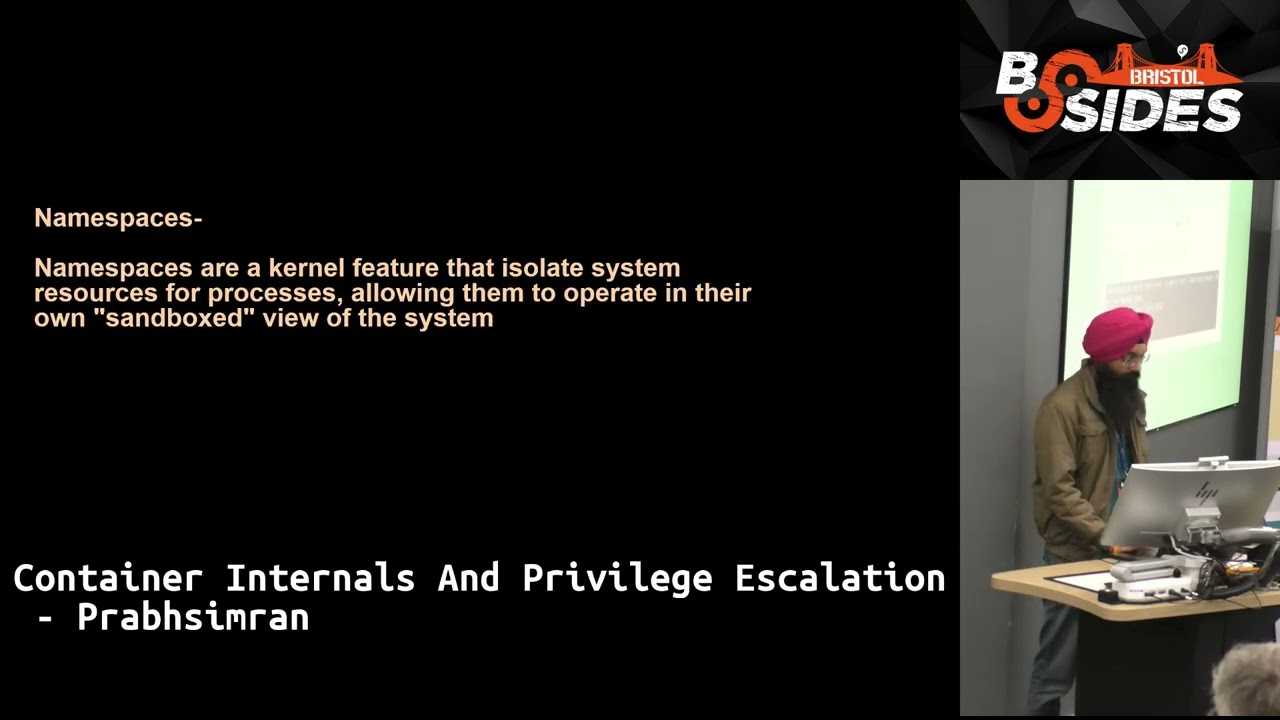
consume 5 MB of RAM? Uh so what happens in this case is uh this crashed why because uh we attach a croup uh which we created previously to this process and that croup only allowed 4 MB of because we configure it like that. Uh so when we try to start this uh process with that C groupoup attached it was unable to run and it crashed. got crashed. Okay. So basically that is the use case of croups. Um that is mainly used for resource management. Okay. Next is name spaces. Um name spaces uh is also a kernel feature in Unix that is usually used to isolate resources for the process. So not resources as the environment for the
processes allowing them to operate in their own sandbox environment. So for example when you run containers you don't see the processes which are running on host operating system. Uh why because the name space is different in which uh with which your container is running. Also there are different types of name space. Uh one is P nameace which uh I'll just show you example for that here. Um so in step one uh I am creating a nameace um a p name space and I am running the process bash and attaching that name space to it. So basically similar to container when uh when you get a shell inside a ubunt container for example so you get a
ur bash to run commands or interact with the container file system. So that data also has a like its own name base. So similarly I'm doing here u and when I run uh this psus aux command in the first screenshot you see screen uh I am a only able to see the processes which are within the container. So not the host processes. Now you can list your name spaces. So for listing the name spaces command is lsns that will list all the name spaces which uh which uh are created by some other other docker or maybe some other containerized or kubernetes. Uh so in the third last and second line you can see the name space which I
created in previous step. So uh this ls is for listing files but ls n l n l n l n l n l n l n l n l n l n ls is for listing the name spaces in the system. Um now uh just for example sake you can uh have two containers running docker with same name space. Um so basically uh in the first command I am starting a container a regular Ubuntu container and in the second command I am again starting a regular container but with the same name space the same p name space of the previous container. Okay. So what that means is both uh uh second process the second container
um all the sorry the both of the containers can see each other processes. So if you if you run application in one container the container will also able to see that application or the process whatever you in the other container. Um so I then u uh the sleep command in the second container on the right side of the screen screenshot uh sleep 500 and on the left hand of the uh screen you can see the other container which is having same name space attached to it can see the process. Um so in a nutshell name space are for isolation.
Next uh images and registry. So um registry is just a server which hosts file system for containers. Um container images are files which uh just like Linux files regular file system it has all the directories pins uh temp opd all the directories um and it just it just serves those uh files for each container image now you can list your uh images in your system using docker images command for example we have one image in the screenshot. Uh you see this this is one two image. You can see that uh the tag is latest image ID is that uh E 0 F16 something. Um created 3 weeks ago size is that uh 78.1 megabytes. Um you can also save this image as a
file on your system and then import that later on if you want to. Um for saving this uh image you run docker save command with the minus as output um parameter uh and it will be saved as a tar file which you can extract it on. Um so that's what I did in the next screenshot. I downloaded a container image and then extracted the file. Uh so inside the file I got different types of files. I got directories which is the blobs uh directory which you see and I got uh JSON files and some other directories. So JSON files are mostly metadata. So they contains information like u what changes were made to each uh
for example when you uh make some changes in the container image and you push uh image uh that after changes to the image so you get a new tag and new image. So basically it is uh like of a versioning system like git you can think of this like that. Um so whenever you create a new change or did some file in the container image and then uh uh uh commit that so you get new you add a new layer to that uh base image. So you see these uh sha hashes shift 26 256 hashes all these are image layers and each image layer had made some changes to the base image. Okay. Um also if you are running your local
registry server uh container for container image you can download the whole container image layer by layer. Uh what what I'm trying to say is so each container image have many layers. So for creating a full-fledged image uh instead of downloading a whole image like with a single command docker pull you can use uh the API uh registry API to download the image layer by layer and then you can combine that to get the full image. Um so that's what I'm showing here. Uh for downloading the layer one by one you can use this command. Um and uh the each layer will be loaded. Then you can combine all of that to both of these layers to get the full image uh
as originally. Now those were kind of three basic pillars of containers how they work uh name spaces, cgroups and uh images just regular files. So what is the difference between you might have heard about docker and kubernetes or oddman um so what is the difference between kubernetes and docker because these are most famous or wellknown um so docker u the scope of docker for example I have like I have showed here scope of docker is is it containeriz contain containerization platform it is basically created for single node or single system. Uh whereas Kubernetes is for managing containers. Docker is for managing like applications uh like micro uh sources whereas Kubernetes specifically for managing containers kind of you can
think of like that. Um Docker and ship applications as containers. Kubernetes run and manage large clusters of containers. So again managing containers core focus for docker is how to run a single container whereas kubernetes is solving the problem of how to manage thousands of containers. Um docker has some keyword like docker engine. These are separate components. Docker engine docker docker hub. Docker hub is the history by the way. uh uh you can also create your own images and upload that to docker. So it is your public registry. Now this is like a GitHub. So feel free to upload your image here. Um in Kubernetes world we have some keywords like pods. Pods are similar to containers but not exactly.
Pod can contain multiple containers. uh but it can have a single container as well. Services, deployments and ingress. Uh we just don't need to focus on these um just these are keywords for now. Um uh so basically in nutshell Docker is if you want to have an analogy dock if Docker is a Kubernetes a Kubernetes is a traffic management system uh which manages different cars. Um so think of that um as analogy. So key learnings uh so we saw what are containers container is just a process very important to remember how do they internally work uh they just use C groupoups and name spaces. So that is basics. um misconfigurations can occur like for example I showcased if two containers
are having same p I name space as to it. So one container can interact with the process of another container. So very bad if uh you are doing that for applications which should be running isolated. So that these such miscon. [Music] Um so my attack has uh a container matrix specifically for container related attacks. You can uh go to their website and check out this matrix. Um so TTP are similar uh initial access execution persistence through escalation decisionation credential access discovery movement impact and then they have their sub techn and um procedures.
Now these are some uh bug bounty reports which were reported to hacker one. Um these are basically container related attacks and uh these were triarched. So these are valid reports. You can uh read about them. Um for example in so you
uh particular report someone found a registry which were which was not authenticated or publically exposed. Um so that person was able to download images, read the files inside the images, um maybe find some sensitive information like password secrets inside images if uh those were hardcoded inside the software. Um so you can read this uh and get a gist of like how containers can be attached uh in the infrastructure. Um so this particular finding map mapped to um this particular technique T13 uh 3 that is external remote services because the registry was publicly available without authentication and is initial access and you can read more about it here in the attack website. Similarly, the next one is uh for
container escape. Container escape basically means when you are able to read host file systems or break out of to the host completely. Um so again very bad thing to happen in production. Um so you can read about this one. So in this particular attack uh the tester was able to read files on the host operating system [Music] and it maps to T161 SK2 host and this is a privilege escalation or differentiation type of tactic. um references. These are some of the blogs which I wrote previously about containers. Um all things which I discussed are available here. You can uh go through them. If you are interested in containers um uh that is pretty much it. Uh if you
guys have any questions, feel free to ask. [Applause]
small question regarding to when you escaping for example I have container my own deploy to AWS and if you can escape cost can you read all other containers >> very good question um so in uh in manage cloud providers like AWS. Um so they have their own Kubernetes service AKS. Um so yes there is a possibility that other users containers are al also running. I'm not exactly sure but uh I'm 100% sure that if multiple developers are using same AWS account like organization account then yes you can if you are able to break out of container in the your gates so sorry ads gates or any other uh then you will be able to see the containers which are
running which other developers have started but I think there is isolation per amount per account uh in in cloud otherwise it would be very bad. uh one oration is reading five of another. So uh but for sure yes if today any other questions >> apart from lack of name space isolation from the host what other points of entry or privilege escalation tactics are being actively exploited? many many uh for example if you are mounting volume mounts for example uh specific volume mount for example if you mounted your home directory of the user then container can read the sh completion files from host um if you are uh if you're familiar with gates like kubernetes >> then uh you can be having miscon based x
control so your So e kubernetes you have service accounts. So different pods can have different service accounts. Um so if your service account is having like let's say permission to um read secrets maybe or and there is a sensitive secret. Uh by the way secrets are not encrypted in kubernetes. They are just basic encoded. So uh they are not encrypted. So disclaimer. Uh so yeah ro basics. So it is similar to IM like in AWS you make sure there is a least privilege uh principle you follow. Uh only provide those privileges to um identities which is required. U similarly for service principle you should provide only those privileges to the service account which is required.
If you provide let's say to list to contain to create new pods so someone can create a pod with more list. let's say attaching walls or attaching more capabilities. I didn't touched on one topic that is capabilities. Um that is uh sorry system calls or group of system calls. Um yeah but I was having 20 minutes so speak which thank you very much.
Related talks
 29:58
29:58 40:39
40:39 38:31
38:31 36:39
36:39 42:55
42:55 18:33
18:33