Offensive Azure Security

Show transcript [en]
hello and welcome to offensive azure security session my name is sergey and i will be your presenter for the next 20 minutes this is the lite version of this session so you will see only one scenario how things may be compromised but even this scenario will give you some ideas if you're a defender so you will find what can you fix if you are fantastic it will give you ideas how you can try to compromise application in the cloud environment so let's get started before i i start to show you the content uh let me say a few words about myself and i promise you we're going to start so my name is sergey once again um
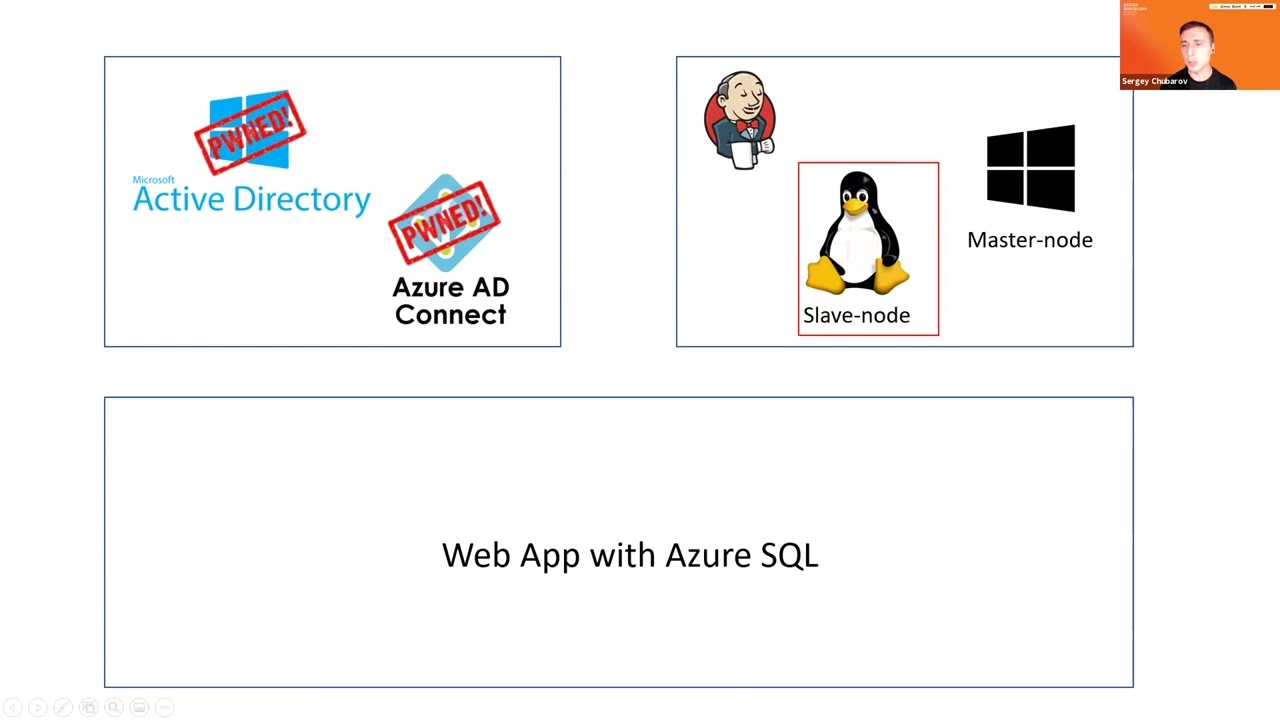
very important where i'm from i'm from russia so that's my burden to do all of this hacking and as you can see on the slide i i do a lot of fantastic and also i'm an instructor conference speaker if you want to contact me during the session after the session whatever it may be here's the linkedin url go ahead and find me you may ask something say something or you may just find some other conferences where i speak so here in the slide you may see three scenarios i usually show on this session so first scenario is hybrid active directory so when you have on-prem id in the cloud id and how you compromise all of this environment then the second
scenario is how you can compromise virtual machines and of course application deployed in those virtual machines and the last one is bus where you have a number of services past services and how you can pen test them since that's the only light version so that's a light version of the session you will see only one scenario the last one which is for many should be the most interesting so let's take a look on that and here we going to cover um application which is which should be a bit more interesting in this application we will have application web application with a sql database backend also the the credentials to access backend will not be stored
um locally on the web application it will be stored in the key vault and the credentials they will be rotated periodically with azure functions and also application will be protected with application gateway in front with the feature enabled so it looks looks like this application is quite secure but let's try that first let's try that so i'm gonna jump back to demo as usual now let's take a look how can i try to get into this application let me show you one more slide to give an idea what may be in our case an entry point so my goal my initial my my goal is to get access to database because all of the the most interesting
things will be there but easier as you remember credentials are to access database will be stored in key vault um let's first test if i have access to key vault or not i'm going to go to keyboard maybe this user that was compromised already have access to key vault let's see that if i go to secrets no there is no permissions to access key vault let me quickly give permissions to myself to just show you that um those something something exists there i'm gonna just give permission to list click add here and go back to secrets refresh no oh damn it i didn't save it sorry um
let's try again click add and let's click save and now if i go to secrets i should yeah i have password here pass and username so let me remove this permission click save again and now let's try to somehow get access to to those secrets and for me entry point will be key rotation function because it's very commanded to have key rotation keys or secrets in my case rotation and on microsoft website you may even find the function that will rotate the secret in the keyboard and on the target application like sql database on our target so here's a slide with my with my function so i have a function and this function will like change
password on in sql database and the keyword at the same time and what the typical problem that i find periodically in there in the real world a function has different configuration compared to key vault so key vault may be very restrictive but the same time function will have also like either permissions inherited from subscription and so function will have a bit more permissions so so users will have a bit more permissions on that function compared to keyword let me show you what i can do if i if i have a case like this so i'm going to go to portal and find functions function applications and here i have one function so let's take a look at what what do we
have here in under one function application i have two functions a one is triggered by event grid second one is triggered by http this one is will be more interesting for me because i can trigger that manually so let me show you the code
come on and so by default when i deploy the function from from microsoft github from from github it will show me the code like this so this code is is the legit code to rotate secret but what may where maybe the problem the problem is by default function is ac may be accessed via ftp so if you look at the configuration of the function you may find that in general settings ftp is enabled by default most in most cases you don't use that but it's enabled by default and so feel go to the deployment center um you may find ftp credentials here and so here's the ftp credentials so now let me try to get
those credentials but of course as usual from command prompt um so let me open command prompt here and let's try to get uh first of all a url for ftp url to connect the function so here's the ftp url let me copy this and paste to filezilla and then i want to get credentials of this function of this function application and here's the username here's the username paste here and here is the password let me copy this here's the password and now i have permissions to log in there and i can see here the structure which is my two functions let me go to to the http function and here i can and here i can see the structure of the
function what i can do i can upload i can upload my own code and so this code with the name called around.ps1 in this case it's the partial function so i can upload my around.ps1 code and this code will be executed when function is triggered and so this function because the function has permissions to access keyboard i will access keyword and i will get information from keyboard on behalf of function and my code will just get information i need from keyboard let's try that i'm going to just open powershell and run the command like this and so let's let's try to get credentials from from key vault fingers crossed i will get it also by the way i can go to function
itself and and just take a look when it was any when it was executed if i click monitor
nothing here maybe already yeah it's ready give me give me information so um it's finished now i can see the username is web app and the password is password and those credentials are will be used to connect to sql server so let's try to connect the sql server now first let me take this url and type my password and now i can see i always connected um and i can see my database with tables and the content there and there's there's only one record there let me try to do the same from the different workstation let me just connect copy this from different workstation
and now it says hey you can't do it because firewall does not allow you to connect to this server interesting let's take a look how this fire will look like now let's go to database and open this database so every sql database in the cloud has this sql server has the firewall database as well by the way so if i if i if i click firewall i can find here very interesting configuration which is very very typical uh this firewall this firewall has this option enabled it says allow azure services and the resources to access this server what does it mean many people think that it means that their azure virtual machines their azure services may access this
database but in fact it is not really true this option means that any any once again any azure ip address will be able to access this sql server so a from any from any customer subscription from any content from any country in the world you will be able to access your sql server firewall will not filter that at least if you have this option enabled so quite often the the it professionals in company security professionals they don't really understand the impact of this option so if i have this option enabled then any virtual machine in azure from with azure ap address may have access to my sql let me disable this and let's try to innate in
allow only um only private access so there is no public access at all now now um my sequel is probably better now i have credentials but axe allowed only from internal network so i cannot access from from anywhere is it possible to get into database yeah if we compromise the application itself and so from application we can get access to sql database let's try to do to do it let me go back to my portal and i'm gonna open application um so if i just uh go to application configuration you may find here network and if i click configure networking it says hey you must have a standard tier if you want to work with networking so let me upgrade
my application to s1
and so now i can connect my application to network let me do it real quick so i'm going to say add v-net and i want to connect my application to virtual click ok and so that will take some time before this application will be able to connect so as you can see here it's it's already con it's just connected but in reality and what i can do i can really quickly restart this application to speed things up so now if i compromise this application uh i will be able i should be able to get into database the quite common question wait a second but how to compromise application especially if you look at them if you hear there's a vaf application
firewall will not allow me to just simply get into application uh yes but i just want to remind you i just want to really remind you that we have for web application the same default configuration ftp is allowed if i go click configuration and go to general settings i may find here ftp is allowed by default so quite often companies they do not disable this ftp and in the same manner i can get into this application as before let me try to do it so let me close this and this um now if i just try the same let me find a ftp url of the application i'll copy this
and credentials as well and so let me type credentials as well
so as you can see here this application is nothing more than just a php page and let's let's first explore this application that we'll just check that the application is working let me open the application itself let's click here i can see the application is here an application is working so let me just take a look if i say i'm a user let's call myself michael and let's say my email is amp smith whatever it may be whatever.com and let's say submit this this is working so it's working with database application is working now let me jump back to my filezilla and now what i can do if i if i know that this application is php
what i can do i can upload my shell and you know that php and sp as well by the way they they are executed on the server side so the php will be executed on the server side not on the client side so if i can upload my my own php code i can execute something on server let me just run my shell and look at this so now i have access to this workstation or the server through web shell web shell not not super interactive so let me establish establish the better shell
so on my web shell i want to to fix the shell i want to make shell better and so now i have a shell all right so what i can what what i found here that my username is just a regular user not the web server the web server user usually usually low pre low privileged users so i will not be able to do whatever i want on this server my goal is to connect to sql database but the problem is that regular server doesn't have tools to connect to sql server um i need some sort of management studio for linux as linux of course not visual studio it's not management studio it will be like a sql cli but
to install that i must be an admin i have i must have sudo permissions or root permissions i don't have it so what i can do here i can use some third-party tools and the tool that you may try called u-sql this tool will run without insta will work without installation and so using u-sql i will try to connect to sql database i'm going to say connect using the sql and looks like i was connected let's try to list tables and look at this i can see two tables there so let's try to list the content
and look at this so my jundo and my michael user are there so now i have access to sql database so i hope all of this was informative and you get an idea how those things alright so we reached the end of the session i hope that was useful and interesting and you found some ideas how you can test your applications better if you want to contact me i will be happy to do it and i will be happy to answer your question as well thank you very much bye
Related talks
 45:40
45:40 8:43:32
 27:32
27:32 51:17
51:17 52:17
52:17 32:16
32:16