Atakowanie Wewnętrznej Infrastruktury Przy Pomocy Przeglądarki
Show transcript [en]
It's three minutes before the time, so I can say a small announcement that CTF, which we have prepared here together with the guys, should already work, because there were some technical problems, so everything should be ready now. Okay. Hello, my name is Jakub Żoczek, as it was presented, and I will talk a little bit about the viewers and how they can help us with pentests during internal infrastructure attacks, when we do not have access to them. It will be a technical presentation. These techniques are not new. It will not be anything new. But I think you can come up with some cool concepts that you can use in the future during your pen tests. Who am I? As you can see on the picture.
I have been working at Allegro for five years. I mainly focus on my work in the area of web applications, mainly in client-side, although not only, but my interests are also around client-side. Who is my team? You can come up here, guys, if you want. Bravo to Allegro team. We do different things as a team, from penetration tests, to consultations, different training solutions for developers, administrators, for ordinary employees and so on. Attacks, riots, coercion, I don't know. By the way. Ok, when it comes to pentest, the first important element we deal with is reconnaissance. In case of attacking the internal infrastructure, we need to know as much as possible about it, so as not to load requests in the dark, etc. to prepare
these attacks properly. Therefore, it is very important that this reconnaissance is carried out as precisely as possible. And what do we use in reconnaissance? Maybe in a different way. What I will show in general during the entire presentation are also techniques that we used in our internal pen tests in Allegro. Unfortunately, I won't be able to show everything, most of it, if it comes to real demonstrations or real attacks we've done, because we don't want to show such things, we don't want to show our internal panels. However, the demonstrations I will show here will reflect these attacks and that's it. So, we took the reconnaissance, as we work in Allegro, we know the infrastructure inside. However, with our
pentests, we assume that we must, as best as possible, reverse the real attack. and pretend that we don't know certain things. We don't know them until we discover them during the reconnaissance. So we approach the search for address classes, port scanning, active reconnaissance. But we also spent a lot of time on passive reconnaissance, where we watched presentations of our developers in different places. We also prepared their private repositories, in search of some interesting information. The technological block is, of course, read by us, but we also focused more on the information that can be used to prepare attacks that we will demonstrate in a moment. As we know, the browser is from Grom. foreign Everyone uses a different browser, and if we scale this attack to a wider
range, it may happen that someone uses, for example, Internet Explorer 7 and gives us a description field when it comes to attacks. Or uses Firefox and there, specifically, on Firefox, there is one attack. And so on and so forth. Browsers are used to browse the Internet. to, so to speak, display the internet pages. Here we have an example of a beautiful page in the style of the 90s. However, in today's times, viewers can do a lot, contrary to appearances. They have to cover a lot of functionalities, keep the standards, support plugins, protocols, etc. For example, now I can emulate the X86 processor and we can run a real Windows 95 in the browser. This shows how powerful these browsers
are nowadays. However, as pentesters, we will be interested in much simpler browser functionality. It's sending requests. By putting a tag on the page, with a picture that points to our server and displays a pixel, we can actually tell us some information about what browser the person who visited this page uses, what is the IP address, etc. Sometimes if we put it in another place, not on the controlled website, but we will use it as a payload, which I will show later, also as an attack type, we can also, for example, on the basis of a referral, leak some internal information, but I say it will also be shown a little later. Let's move on to
attacks that we've managed to do. Some of them we've managed to do, some of them we haven't, but we tried. Phishing. Phishing is very useful in Pentest, but we wanted to approach it a bit less standard. We didn't want to send a typical phishing email to some organization or service. We decided to attack our customer service. And we did it. We will not show you the system of tickets that we use in our work. Instead, we used Roundcube. And here we have an example report that can be sent to the service. I don't know if you can see something there. You can't see. You can see or not? I will read it. I can't see it well, so I'll read it from
memory. "I would like to note that on the lower page someone has probably illegally placed the data of your employees. I don't know what to do with it, maybe it would be worth to report it somewhere and here we have a link to the website. And in this case, the person who gets such a ticket says: "Okay, let's see what's on this list of employees." And here, in fact, after clicking, a new viewfinder card opens. There is a list of employees randomly generated here, but here in the lower console, which I have turned on for demonstration, there is a reference to such an object as a window opener. WindowOpener is a window pointer in the tab that opened this tab. It's like
a corresponding... For example, if we put a frame on this page and from this frame we would refer to the Window Parent object, then it would refer to the window object, so to speak. And if we referred from this frame to the Window Parent Opener, then we would refer to this opening tab, i.e. this Round Cube in this case. So what if we have a window opener? If both tabs were in the same origin, with the same scheme, protocol, port and host, they could talk 100% with each other. We would have full access to both tabs. But since they are not in the same domain, the same policy regime does not work here, we have a very limited field to write. However, there is one
thing that can be useful for us here, for phishing, and it is the object location. And if we modify the object location, it will happen that the page, so to speak, at the previous stage will be redirected to the address that we will give. So, now look at it. The employee clicks on the link, the list of employees is displayed, he wants to return to the previous tab, which was just now a round cube, and he has a login screen here. If he doesn't realize that there is a different address here, there is a very good chance that he will write a login and password. Someone has entered in our case. Next attack. Blind XSS. The XSS itself is...
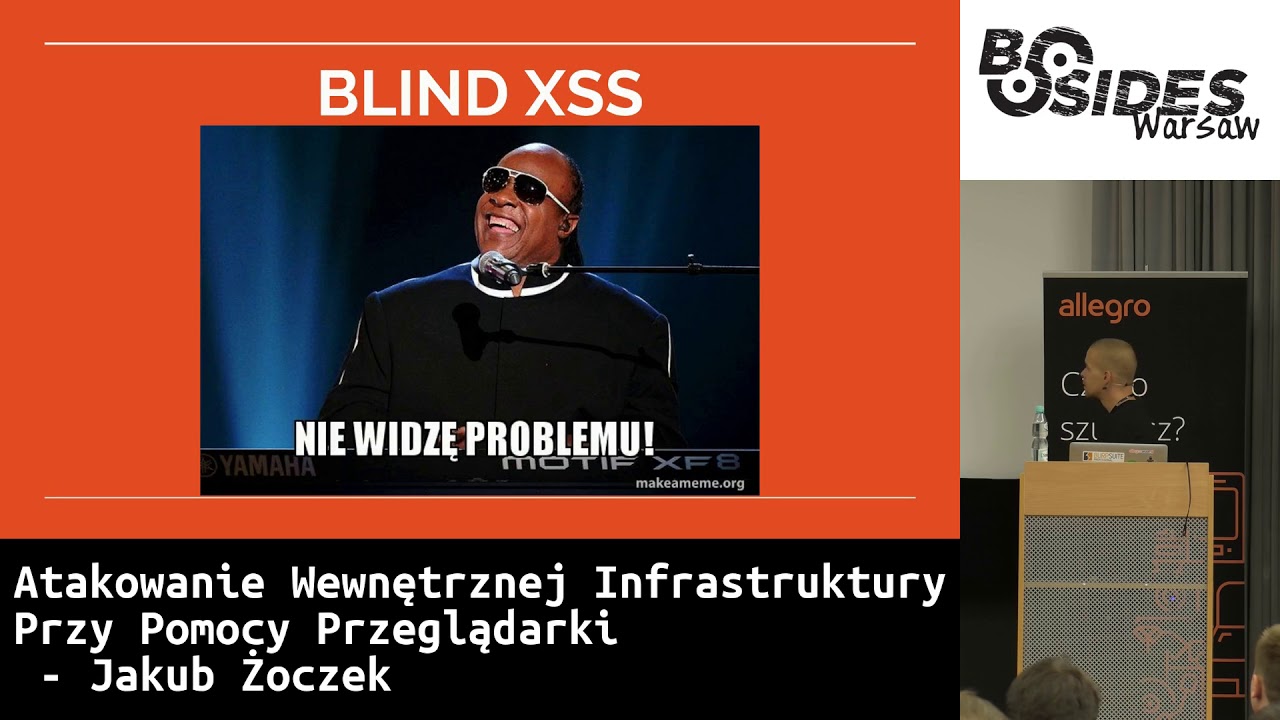
OK, let's not exaggerate, they are boring. The topic is so much about them that we all know a lot about classic XSSes. So we won't talk about them. We will talk about blind XSSes. The XS payload is placed in different places, and we patiently wait for it to be executed. If it is executed in an administrative panel, there is a very high chance that we will get access to sensitive data. Phase one, right? So we find these panels. In fact, The simplest way is to put an IMG tag, which is something I showed before. If in some place, for example, the panel, instead of displaying itself, it renders itself and tries to download this pixel, then we have information on our server that someone tried to download this image.
We will have information about the IP address. There is a high chance that we will have information about the referrer, i.e. we will know the internal address of this administrative panel. And that's a signal that we can prepare the attack itself. However, I stopped using this payload, I started using a more complex one, which covers a lot more context. So we have here a hyperconnection context, starting with the JavaScript schema. We have the event onclick, the new line sign, the ending of a few tags, in which case the ending can cause the tag to exit and the code to be clicked. It's a very universal payload that can work in most cases. If it works, it will create an element of IMG and will
send it the URL address we want to monitor. We can change the URL later, depending on the functionality we text or the company. And then we just monitor the access log on the server, if something happened after the time. Where to put this payload? I mean, where to try to inject it? Everywhere. Everywhere, where possible, in any possible place where we can put a payload. And I'm not talking only about some get or post parameters. We can try to use headers as much as possible, or change user agents, change referrer. We can send it as content for customer service applications, or in mails, or anywhere. An example of log-in errors is taken from Google, where I found a
mistake like "blindxss", trying to log in incorrectly, using the username of the user with a payload to some of their administrative panels. After 5 tries and 2 weeks, an internal infrastructure entry appeared in my access log. We can also use it for endpoints for reporting content security policy or XSS protection, where there is a chance that someone is actually watching. And there is no problem to use reverse DNS for this, I hope you can see it. Here we have an IP address that belongs to me and try to answer the question, for this IP address, we get a payload blind.xss. So, actually, when you go online with this IP address, there is a chance that in some administrative panel, some panel, this IP address will be
displayed. And someone may decide to resolve it and show a DNS entry for this IP address. And assuming that a lot of people think that these PTR records should be in accordance with the specification, they should be there, but they don't have to. So there's a chance that the payload will be somewhere and we'll be able to do something about it. Let's say we found some administrative panel. This is also a case from our pentest. We found BlindXSS in Allegro's administrative panel. And we say: "OK, now it's time for an attack." And we thought about how to do it, to actually perform some actions. In the case of this pen test, we had a goal to steal the data of 40 users, so
BlindXSS worked perfectly. However, if I say so, If we want to make a payload, someone will be in this panel, but what if he clicks in another place or uses this panel all the time? What if he goes to another place? This code will stop working and we are in trouble. So we decided to prepare a remote JavaScript console that will allow us to use the payload We prepared some functions like screen reset, page code reset, to have proof of it, because we know how this administrative panel looks like, but because we simulated a real attack and we see this panel for the first time, we had to see how it looks like, see where there are places to search for users, and so on.
The communication channel with the attacker, which is something that will return the data, And let's stay with the victim for as long as possible, so let's create a framework. And in fact, that was a good point. We decided that after making the code, we will first create a framework for the entire screen of the browser. Then, as the address of this framework, we will give the address on which this payload was made. And we did it this way. In addition, to keep the To keep the image as good as possible, so that no one notices that it is actually there in the frame, you can see a function at the bottom that checks what the current address
is in the frame and changes the URL address in the URL bar. So when someone clicked, the address on the top changed as well. And it actually caused that for a few minutes, until someone closed the tab of the browser, because then everything dies, we could work on this remote console for a while and actually download the data of these 40 users that we wanted and go for a beer, because then the goal of the pentest was achieved. How much time do we have? Oh, a lot. I have to speak slowly, because the slides will be over soon. Extensions. Viewers have extensions. I think everyone knows that, because they probably use them. And these extensions can have different levels
of regulations. They can have access to all pages, for example, have a universal XSS and execute code on every page They can have full access to cookies, and by full access I mean all cookies, not just cookies without HTTP only flag, as it is with JavaScript level. They can have access to a board, they can have access to proxy management, they can have the possibility of communicating with some native applications, and they can also contain vulnerabilities. Here is an example of a vulnerability from this year. Someone who had Chrome extension installed from Grammarly could read access tokens of a user from every side. But the plugs can be dangerous in their nature. I have a flower
here, which turns off Same Origin Policy in the browser. Generally, if we force users to visit our sites, I mean victims, it would be worth knowing what kind of plugins they use, not plugins, but extensions. And also, if we know some plugins that have vulnerabilities, unknown vulnerabilities, or are such inventions, it is worth knowing that this user and use them for attacks. How to do it? How to discover on Chrome what extensions a person uses? Each extension has a permanent and unique identifier. Each extension has a manifest in which we define First of all, we define the level of legalization, to which files from the outside, from the network level, someone can have access, i.e.
to some styles, to some JavaScript, images, etc. I said that extensions are not a priority, and we enumerate. This is a manifest from this tab, which turns off the same origin policy. At the very end you have a line like Web Accessible Resources and this means that for this identifier, i.e. with the Chrome extension scheme, two dots, two slashes, identifier /images/onpng, then on each side, so to speak, we can refer to So, it's a simple thing. We create a picture, we create two events on it. One is onLoad, the other is onError. If the picture doesn't load, the onError event will start and then we know that the user doesn't have the plug installed. And if it
does, we know that the plug exists in the user. And it can be used for other purposes, as if we thought that we could enumerate extensions, but we could also move on to the part of attacking the internal infrastructure. So let's look for, for example, www servers. How to do it? We can either use www servers or web applications. I hope that this code is somehow visible, I can barely see it. However, at the top we have a few defined There are several paths that are specific to a given software. For example, for Tomcat we have a picture with a logo in GIF. For any or for most of the HTTP servers unknown, we have some favicon. For PHP, we also have some logo.
What else do we have? Jupiter. This is also a logo or a favicon. And just like in the case of extensions, we take a list of addresses that we want to scan. We create the appropriate images and check if the image has been loaded or not. If it has been loaded, then it is known that under this address, for example, there is a Tomcat. And I think this is quite a nice knowledge that can be used in later attacks. And if not, then it is known that nothing is happening under this host. And this is also a fragment of the code. which we used during the pentest to scan servers of people who were entering. About the attack itself, because it was quite complex and we did quite a
lot of things at once, and how it happened in the later slides. And it's a very obvious method. We create images, we check them, etc. You can approach it in a much faster way. But this method only works on Chrome, it will work on most of the browsers. We also scan HTTP servers. There is a method called Navigator Send Bacon. And it serves to, when we give it some URL address and some parameters in the second parameter, This function will send a request with the data in the second parameter and will send it and forget it. We don't have any returns or any advanced service. If we want to send a request quickly, we use this and it's very fast and very fine. But we also have a
function called performance_gententris, which returns all resources that were loaded on the website. and various useful information, such as loading time, etc. Just statistics. And as it turns out, if we send a request via the SendBacon navigator to a server that works, that has an open port, etc., this element will appear in getEntries. However, if this port is closed or will be for example on some blacklist or will be open but will return incorrect HTTP response, then this position will not appear there. In this way we can easily get to the fact that creating a loop with hosts that we want to scan, we can quickly based on performance-gententrists, what ports and hosts are open and
where HTTP servers are. Ok, so we can scan HTTP servers, great, but we would like to scan something else. And here's the third example, and it only works on Firefox. and we will be looking for Redis or Memcaches. And this is a very interesting thing. In the case of Memcache, here we have a form that directs to address 127.0.0.1, to port 1.1.2.1.2, so not to the Memcache port. This is a port, some O1 higher, on which in this case nothing stands, but there is Memcache 1 port lower, okay. We set the textarea field where we put the data we want to send to the memcache. We set the submit button and the frame in which, if the frame is loaded, it will alert us to load. If
it does not load for some reason, it will alert us to error. And now we submit this form. And nothing happened, except Firefox couldn't connect to this page. Of course, it couldn't, because the port is closed. Why would it? But if we change this port to open, functioning, something interesting will happen. Although Memcache is not connected to HTTP, The request itself will be sent, Memcache will accept all the parameters, i.e. the header from the request, and so on. It will interpret them as wrong commands, and then, as we give a quit at the end, it will finish the connection. Firefox will bravely take this whole response and display it as text. And what does it mean that the RAM has loaded
some content, which also means that we will have an alert and we will know that on this IP address and on this port there is probably memcache. And we can write a scanner for this, right, which, right, in the case of how many targets we have here, eight. And these were random, both existing domains and non-existent, which, so to speak, I wanted to check if the port is open. And as a result of the scan, which lasted 6 seconds, I found that the port 11211 is open on the localhost. And now what? We can also look at Redis. And it would be nice to use this information. So, for example, this is something we tried and we didn't succeed. Fortunately, our employees update the software, at least
those that were affected by the attack attempt. However, there is a bug in the old version of Redis that allows for overwriting files, that is, overwriting, overwriting, and throwing any content there. No, it's not what I want to tell you. It's not what I want to tell you. who can send data to different ports. Not all, unfortunately. Unfortunately, we can't send it to some popular services like FTP, SMTP, DNS, etc. There is a list of ports. In the case of Firefox, I'm not sure about Chrome. I took it from Firefox. In the case of Chrome, probably not all ports. Not all ports can send such requests. So that whatever is there, hands and feet, because I say it is an
example that you can expand and do some research and try to attack some other services in this way. Here in this case we used Redis, where communication, oh, you, but you can't see anything. But you can't see anything. I would like to bring it closer, but I can't. Anyway, it shows how we can communicate with Redis, i.e. simply by tele-netting to and create a command series that will create a file in any file system catalog with our content and we can put a web shell in this way, for example, if there is an Apache with PHP, we can write a crontab file that will be created very easily, so to speak, here We also have
a fragment of the code we've created and the payload that is being sent is at the bottom, so we start from var_data. So we create a config.setdir and so on. We create such a payload and then send it to the target we want to try out via navigators and bacon. Fortunately, nothing has come back to us, no RC, neither on the computers of our employees, nor on the hosts with Redis, which we also found there with the previous method, nothing has worked out very well. It's half an hour to the end and we're almost done with the presentation. This part is quite fun and I personally really wanted to try it. Not to prove that it's possible, because I've already discovered that it's
possible. But more about how it behaves. policy in the latest versions to get data from some HTTP servers. And here I will show this technique. What is the same origin policy? I will say in three words that you have already heard before. We need two tabs, for example, or to send a request to some host and get an answer from it. So that it happens, there must be these two hosts, or rather this request host and the one we request must be in the same origin, so it must be the same origin policy, which means that both cases must be consistent with the scheme, port and host. The rest must not be consistent. And here we have an example for www.example.com, right? Yes, for http://www.example.com.
And how could we bypass this? I had a presentation on For Developers about bypassing SEM Policy. This technique is not new, I can't say that because I haven't discovered it. I don't know if it's that well known. It works on most browsers. - or hosts that run HTTP. However, as you know, this happens in internal infrastructure of companies. Sometimes we also set something up on localhost for HTTP, because we don't have to do it differently. The lack of XFrame options is not so much required. We can, so to speak, change this attack a little bit, so that the lack of XFrame options does not make a difference to us. And here's the key thing, DNS
rebinding. I'll tell you about this technique. DNS rebinding is when we have a host that returns an IP address After another query, it returns another IP address. We can try to skip some whitelist, which first check if the IP address is correct. If it is correct, it is on the whitelist, then it goes on. Then, when we submit the host, the rest of the program will get another IP address. We decided it would be nice to use it to bypass SOP. And what, what, what, what? And to do it, we prepared the whole attack much earlier, of course, we wanted our employees to spend as much time as possible on the website. I won't show you the email
we sent, it was more corporate, but it's about something like click-bite. Something that will interest a large number of people and make them stay on this page for at least a minute, because only then will it work. Click-bite, the simplest thing. Someone clicks and watches the video for a minute because they're curious what will happen there. And this is how we stop the user and we have a field to describe when it comes to, above all, running this attack and, in our case, running all the previous ones that I have shown here. Because that's what it was about, to collect as much information as possible, to share some of the traffic and to make some people with Firefox only scan Redis or Memcache,
to make some people with Chrome only scan HTTP servers, some people with Safari do something else, etc. So, when you go on the website and spend your time, you can see what's happening in the background, what's helping us in these attacks. And phase two, which is the DNS rebinding. What is it all about? There is a clickbait page, where we watch a video for a minute, like before. And there are two frames there, which are hidden, invisible. And the first frame has the address host1.robchain.org and returns the IP address that interests us. For example, we know that on this IP address from the previous reconnaissance, there is some HTTP service. We don't know which one, for example, but we would like to see if there is
anything interesting there. And now we wait a minute. A minute passes, and on the second frame we also set the address of the host1.opcine.org, but this time the DNS server returns to the IP address. So the IP address is controlled by us. However, for the browser it does not matter, because the same-origin policy works, two hosts agree, they can talk to each other. On the other side, we have control. We can refer to the first frame and take all its content or interact with it. If there is a login panel, we can try to send requests for logging and try to log in and watch the content of the same frame all the time. And
I have a video demonstration that will show how it works. It will make the screen full. So, we have a page on localhost that returns very secret data. And we have a clickbyte page. It has been loading for some reason for a long time, but time is passing. We will have to look for a minute how the first frame is loading. I know it's exciting. Attention! Is this video working? Yes, it is. We have a frame with the localhost. We are on jst.reko.robshine.org. Here we have a frame with a host that points to the localhost. And after some time, not much longer than a minute... Hello. Attention. These explosions, these chases. We have it. We have
the second frame and we have an alert with content of the first frame, which we should not have access to in normal conditions. And you won't guess what. Hello, hello, hello. We're done. We have half an hour for questions, so I cordially invite you. Seriously, I didn't expect it to be so fast. So ask for a long time and ask for everything you want. Hi Kuba. Okay, damn it. No, no, I'm just saying that since I have half an hour, there is a method to omit the XFrame options. Maybe you could explain some techniques? Generally, yes. Maybe I'll start with full screen, for example. Hello? Hello? I'd like to have full screen, but I can't. Give me a moment.
I'll do a trick.
Oh, we're back. Present. Full screen, good. So, what about XFrame Options? If we have XFrame Options, this technique remains. It means that user browser will have two tabs open, or more, with which we can talk, because then XFrame Options has no right to influence anything. And when we open it in one tab, well, it's more visible then, but it's still possible. In one tab we open our first target host, in the other tab we open it after a minute, or in the frame, because the frame could talk here through Window Parent, then to Window Opener. So, this is the technique. Not using frames, but using tabs and Windows Opener objects. One question about tabs. How can we switch between tabs and collect
information? How do I know? We can take information from the second tab. Because the tabs are containers now. And you can't access the other tab. Check it. The best way. Check it. Generally, it's like this. The window opener appears only when you open the tab in the new tab, i.e. through target blank. And you don't have, for example, the attribute "relno-opener" or "relno-referrer" because then the browser cleans the object by itself. Sometimes there are solutions where someone first directs the link to their website, where it makes sure that the window opener is cleaned. And that's it. Another interesting thing about the window opener is that if we open from one tab to another and then someone decides that they don't want to be
on this side anymore and they will go to another one, then this window opener object will remain the same. It will remain the same as long as this tab is open. And what's more, if we open the next one from this tab, then this tab can get to the first window opener, but also through the window opener-opener to the original one. So yes, it works, but I would like to point out that as long as they are not in the same domain, they will not be able to talk to each other. They will be able to either redirect themselves or use post-message to communicate with each other. I have a question. How come we have to wait a minute for the
browser to be redirected? This is due to the cache. I did some experiments on different browsers, unfortunately not on all of them. And the time is different for these browsers. For Chrome and Firefox it was about a minute. So it was time when we had to wait for the browser to return the result of the cache, which is the one that it just sent to us. Only to return the result from And here, the setting of the Ttl DNS website to low, it doesn't give anything, the views are the same, so to speak. They operate their own cache. But I think Safari worked much faster, from what I remember. So I have to do it again, because I'm not going to give you real data from my head. I
don't remember doing it for the experiment. But to see how long it takes for the cache to clean up for our browsers and of course to adjust it later to who visits our site based on what browser it is.
- I have a question. Listen to me. As I understand it's not one-shot XSS, but it's a connection with your server, right? - Yes. - And then you can issue commands. - So it's a blind XSS, right? - Yes, exactly. In the case of Pentest, we first found the blindX SSR, someone sent us a request for Pixel. And then, when we were preparing ATT&CK, we had notifications on the phone when someone connected. and then we would go live to the console and perform some commands. Was it your custom solution? It was a solution we built during the pentest. Did you think about using the BIF framework? We didn't want to set up special environments and check if
the solution leaks any information. We used a very quickly written custom solution, but in the future, maybe we'll do something else. I'm a bad programmer and I admit that it was a nice spaghetti. But it worked, so the result was great. But in the future, to prepare better, we could think about something like that. Any more questions? Yes, Rosie, go ahead. A question about the resolution change. What was the resolution change like? Did you have control over the zone or what? You are asking in the context of blinding CSS and rebinding. Rebinding. Okay. One more question. How could you change the IP address to which the domain is resolved? Do you have control over the domain's server? It's all about simple factoring. Let's go further,
further further further further further further further further further further further further further further further further further further further further further further further further further further further further further further further further further further further further further further further further further further further further further further further further further further further further further further further further further further further further further further further further further further further further further further further further further further further further further further further further further further further further further further further further further further further further further further further further further further further further further further further further further further further further further further further further further further further further further further further further
further further further further further further further further further further further further further further further further further further further further further further further further further further further further further further further further further further further further further further further further further further further further further further further further further further further further further further further further further further further further further, further, further, further, further, further, further, further, further, further, further, further Host1.robchain.org. Robchain.org is my domain. So, when you create a domain, you set delegations to DNS servers. Since I use this domain for other purposes, I had a subdomain called xrobchain.org. And it was delegated to a special DNS server, specifically to the DNS chief in Python, which was also
redesigned to support MySQL, to download targets from there, etc. So that the whole attack was automated and to detect at what point it is to serve the appropriate target IP address that we want to use. and at what point it should return the IP address that it directs to our server. And that's how it works. We have control over the DNS servers, and we can, for example, Although, RobChain.org works on one pair of DNS servers, the subdomain itself can be directed to a completely different address. And only then, going down, all requests will go not to the main DNS server, but to the custom one that we have changed. No questions? No questions, lies for sure. Someone else wants to ask
something. In the case of this Blind.js, wouldn't it be better to just write some spider that will immediately will search what is there and throw the whole page? No, it's different. In the case of BlindXSS we had implemented at the very beginning some basic activities that were to be done. And it is, among other things, throwing the page, sending it to us, right? And then we started interacting. But since we wanted to enter the panel through the employee, it happened only once. Someone got an application, entered the panel, performed an action where the blind access was performed. And he was there for a while. But it was one shot, so we wanted to have the possibility to control it live. And no cheating, by the
way, when you're spidering, assuming you don't know the panel. But what I wanted to say is that, for example, in the case of another pen test, completely outside of it, when attacking WordPress, for example, you can find the SSS blind index. or any other XSS, you can equip it to perform some activities that you know, for example, in WordPress, plugins appear and you can edit them, sorry, teams. You have a file editor and you can add it to WordPress. So these are activities that are implemented in this solution, on the knee, somewhere. Do these big and small letters in the payload matter? I'm listening again. Do big and small letters in the payload matter? Yes. I mean, it depends on who they matter
to. Because they don't have a browser and that's great, isn't it? That the browser interprets both the JavaScript schema Both events and HTML tags, regardless of the size of the letters. The JavaScript code itself must be written in accordance with the size of the letters. For anti-access filters, it may be important. You can write a rule that checks if it is JavaScript or script, but with small letters. But it doesn't check if they are small or large. That's why it's so weird here. I just wanted to make it as complex as possible and as many people as possible We can't expect things to happen, because we can't see things. We can't experiment with entry points. We
can try to bypass filters, if they exist. We shoot in the dark. And to avoid sending 15 payloads, we can send one, but covering a lot. We could talk about Thank you very much. See you.
Related talks
 43:55
43:55 57:24
57:24 1:01:16
 44:08
44:08 29:57
29:57 1:08:51